
MASS DATA - Google AI for Marketers

Shopify Orders Don't Match GA4: Why Platform Conversions Differ From Store Sales

Learn how small agencies can scale through specialization, capacity planning, automation and hiring, and when white labeling becomes more efficient.

Modern workspace with laptop displaying Shopify sales data, tablet with GA4 stats, notepad, and coffee cup, bathed in warm li

Shopify Orders Don't Match GA4? Here’s
How to Find the Real Cause

When shopify orders don't match ga4, it does not automatically mean your tracking is broken. Shopify and Google Analytics 4 are different systems built for different purposes. Shopify records actual commerce transactions inside the store, while GA4 records purchase events that successfully reach the analytics property.

That distinction matters. Some differences are expected because of consent, browser privacy, attribution, time zones, and checkout behavior. Other differences point to real problems such as missing purchase events, duplicated tags, incorrect transaction IDs, or implementation changes that broke tracking.

This guide will help you:

  • Understand which Shopify and GA4 discrepancies are normal

  • Identify when missing orders suggest a tracking problem

  • Separate attribution differences from event-collection failures

  • Build a practical reconciliation process across Shopify, GA4, Google Ads, and Meta

Why Shopify Orders Don't Match
GA4 in the First Place

The most important distinction is that Shopify is the transactional system, while GA4 is an analytics system. When an order is successfully created in Shopify, the store has a direct record of that transaction. GA4 only knows about the purchase if the relevant ecommerce event is successfully collected, processed, and associated with the correct parameters.

That creates several opportunities for the numbers to diverge. A customer may decline analytics consent, a browser extension may block tracking, the purchase event may fail to fire, or the final checkout step may take place in a way that prevents the expected analytics event from being sent.

Discrepancies commonly occur between a store's own analytics and third-party tools because browsers, cookies, JavaScript availability, privacy settings, session definitions, and measurement methods differ between systems. Shopify’s official guidance on analytics discrepancies is therefore a useful reference point when investigating a mismatch.

The objective should not be to force Shopify and GA4 to display identical totals at all times. The objective is to understand whether the difference is explainable and whether it is large enough to affect marketing decisions.

Shopify Orders and GA4 Purchases
Are Not the Same Metric

A Shopify order and a GA4 purchase may sound like equivalent metrics, but technically they are not.

A Shopify order is a commerce record. A GA4 purchase is an analytics event.

That difference becomes important when teams compare totals. Suppose Shopify records 500 orders during a month while GA4 reports 470 purchases. The missing 30 purchases do not automatically prove that tracking failed. Before drawing that conclusion, you need to confirm that the same date range, time zone, transaction definitions, sales channels, and order statuses are being compared.

Refunds, cancellations, test orders, draft orders, and other transaction states can also affect the comparison depending on how reports are configured.

This is why transaction-level reconciliation is more useful than simply comparing two headline totals. Mass Data’s article on why marketing dashboard numbers do not match looks at the wider reporting problem across analytics, ad platforms, attribution models, and dashboards.

Attribution Differences Do Not
Explain Missing Purchase Events

Attribution is often blamed whenever platforms disagree, but attribution and event collection are different problems.

Imagine Shopify contains 100 orders and GA4 contains 100 matching transaction IDs. GA4 may still assign those purchases to different traffic sources than Shopify or an ad platform because attribution logic differs between systems. That is an attribution discrepancy.

Now imagine Shopify contains 100 orders but GA4 contains only 82 matching transaction IDs. That is not primarily an attribution issue. Eighteen purchases appear to be missing from the analytics dataset altogether.

Changing the attribution model cannot restore events that were never collected.

This distinction is one of the most important things to establish when shopify orders don't match GA4. Before spending time comparing channel credit, ask whether GA4 received the purchase event at all. If the event is missing, investigate data collection first.

Consent and Browser Privacy
Can Create Legitimate Gaps

A modern e-commerce workspace with a sleek computer, analytics dashboard, privacy symbols, and natural light, exuding profess

Modern ecommerce measurement operates within an environment where users can refuse analytics storage, browsers restrict tracking, and extensions can block scripts. These limitations mean perfect one-to-one measurement between backend orders and analytics events is increasingly unrealistic.

This is particularly relevant for stores operating in markets where consent requirements determine whether analytics tags can store or process certain information.

A small, relatively stable difference between Shopify and GA4 may therefore reflect expected measurement loss rather than a broken implementation. The pattern matters more than the existence of a gap.

If GA4 usually captures the large majority of Shopify purchases and then suddenly drops to a much lower share immediately after a checkout, theme, consent, or tracking update, that deserves investigation.

For stores with larger measurement problems, Mass Data’s conversion tracking audit reviews GA4, GTM, Meta CAPI, event duplication, consent, attribution, and reporting discrepancies across the wider tracking stack.

Payment and Checkout Flows
Can Break the Measurement Chain

Ecommerce tracking becomes especially vulnerable around payment and checkout because this is where external providers, accelerated checkout methods, redirects, apps, and customized implementations can alter the customer journey.

A shopper might start checkout on the Shopify storefront, complete payment through an external provider, and return only briefly or not at all to the expected confirmation flow. Shopify can still record a legitimate order because payment and transaction processing are handled through its commerce infrastructure.

GA4, however, still needs the purchase event to reach the analytics property correctly. If that event depends on a page the customer never loads or on a script that does not execute, Shopify may contain a valid order that GA4 never sees.

Transaction IDs are particularly valuable here. Instead of comparing totals only, export a sample of Shopify orders and compare their identifiers with the transaction IDs recorded in GA4.

Useful patterns to investigate include:

  • Missing purchases concentrated around a specific payment method

  • Discrepancies beginning after a theme, app, consent, or checkout update

  • Missing purchases concentrated on particular devices or browsers

  • Duplicate transaction IDs appearing in GA4

  • Differences isolated to a specific market or checkout path

Once a pattern appears, debugging becomes much more focused.

Duplicate Purchases Can
Create the Opposite Problem

Sometimes GA4 reports more purchases than Shopify.

That is a different warning sign.

Duplicate purchase events can occur when multiple tracking implementations send the same transaction. For example, a Shopify integration may already send ecommerce data while a separate Google Tag Manager setup also fires another purchase event.

The result can be inflated purchase counts and revenue.

Transaction IDs help prevent and diagnose this problem, but they should not be treated as a substitute for a clean implementation. One real transaction should have one clear representation in the analytics system.

The same principle applies when Meta Pixel and Conversions API are both used. Mass Data’s guide to Meta CAPI duplicate events explains how browser and server-side events can be counted twice when deduplication identifiers are missing or inconsistent.

When shopify orders dont match ga4, therefore, investigate both directions. Missing purchases matter, but inflated purchases can be just as damaging to optimization and reporting.

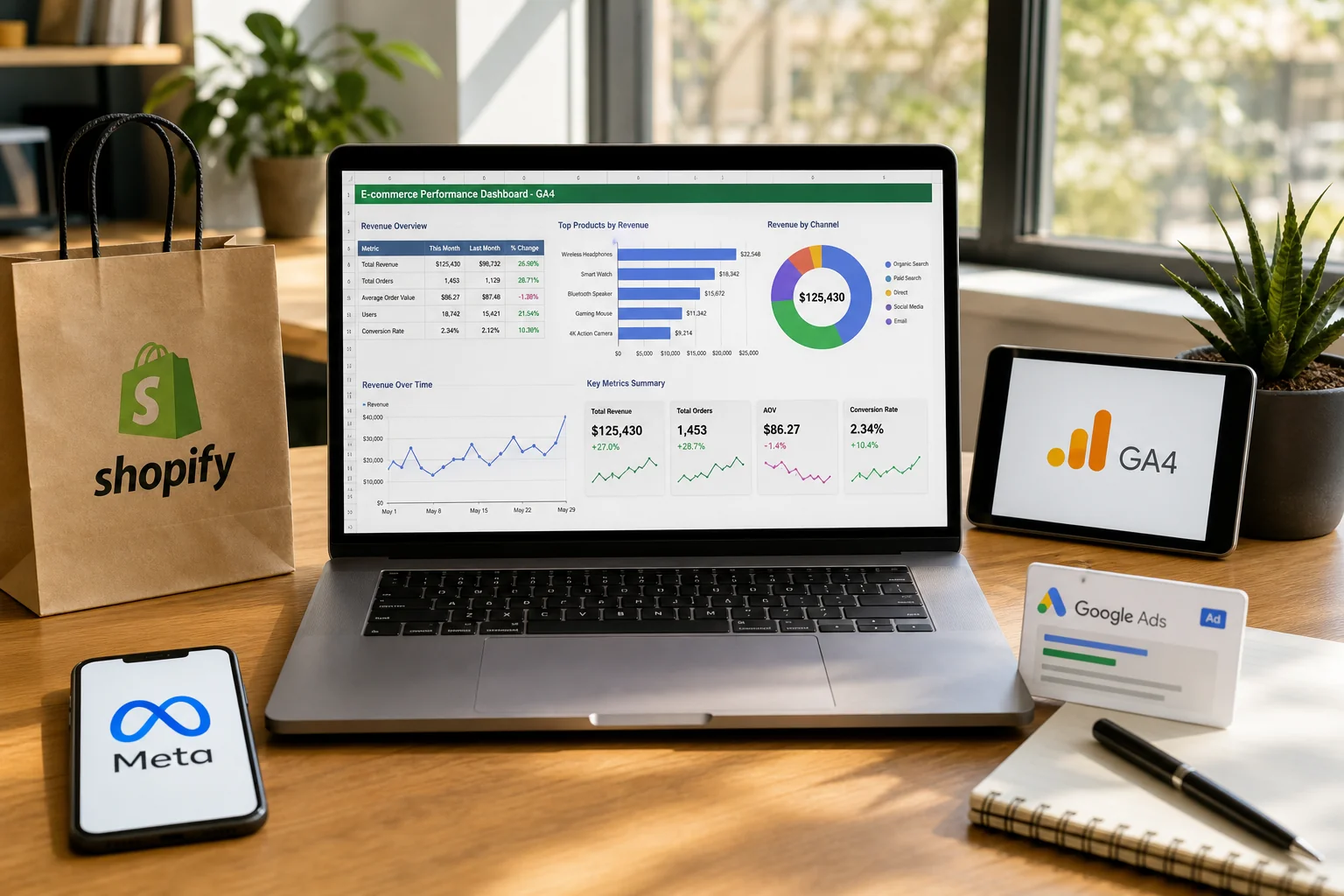
Shopify, GA4, Meta, and
Google Ads Answer Different Questions
A sleek laptop displays colorful e-commerce graphs, surrounded by logos of Shopify, GA4, Meta, and Google Ads in a bright off

Businesses often create one spreadsheet containing Shopify revenue, GA4 purchases, Google Ads conversions, and Meta purchases, then expect all four columns to match.

They usually will not.

Shopify is primarily a commerce system. GA4 is designed to measure user behavior, acquisition, sessions, events, and ecommerce activity. Google Ads measures conversions within its advertising framework. Meta reports conversions associated with interactions that qualify under its own measurement and attribution rules.

A single purchase can therefore be represented differently across these systems without any one of them necessarily being “wrong.”

A more useful reporting hierarchy is to use Shopify as the operational record of store orders, GA4 for onsite behavior and cross-channel analysis, and advertising platforms for evaluating the campaigns running inside those platforms. If management needs one unified business view, the data may need to be reconciled in a separate reporting layer.

Mass Data’s Google Analytics and data reporting services are designed for this type of environment, where ecommerce, CRM, analytics, advertising, and revenue data need to be combined into a more consistent reporting structure.

Shopify Orders Dont Match
GA4: A Practical Reconciliation Process

When shopify orders dont match ga4, start with individual transactions rather than percentages.

Suppose Shopify reports 240 orders for the month while GA4 shows 215 purchases. Export the relevant Shopify transactions and compare them with GA4 transaction IDs for the same period.

If 210 transactions match, you now know that roughly 30 Shopify orders appear to have no corresponding GA4 purchase event, while five GA4 transactions also need investigation.

The next step is pattern analysis. Check whether missing purchases cluster around certain dates, devices, markets, payment methods, browsers, or consent states. Review what changed immediately before the discrepancy appeared.

A known deployment date can be extremely valuable. If the capture rate drops immediately after a new tracking implementation, checkout change, or consent update, the investigation becomes much more targeted.

Mass Data’s conversion tracking audit examples show why event-level investigation is more useful than assuming different platform totals should simply be forced into agreement.

When the Difference
Becomes a Business Problem

Not every discrepancy deserves the same level of attention.

If Shopify reports €100,000 in revenue and GA4 reports €99,000, a small gap may be commercially insignificant if it is stable and understood. Trying to eliminate every small measurement difference could consume more time than the additional precision is worth.

If GA4 reports €65,000 while Shopify reports €100,000, the situation changes.

Now the analytics platform may be materially underrepresenting ecommerce performance. If Google Ads or another automated system uses those incomplete conversion signals for bidding, the tracking problem can start influencing campaign decisions as well.

Bad measurement does not remain inside an analytics dashboard. It can affect budget allocation, ROAS analysis, campaign optimization, forecasting, and performance reporting.

Mass Data’s article on Google Ads conversion tracking that drives growth explains why accurate conversion signals matter even more as automated bidding systems make decisions based on the events advertisers provide.

The right question is therefore not simply, “Do the numbers match?” It is, “Is the discrepancy large enough to change our decisions?”

Common Mistakes When Shopify
and GA4 Do Not Match

A professional workspace with a laptop showing contrasting Shopify and GA4 dashboards, a notepad titled "Common Mistakes," an

The first mistake is expecting perfect agreement between Shopify and GA4. Different systems have legitimate measurement differences, so a mismatch does not automatically mean the implementation is broken. Another common mistake is blaming attribution for every discrepancy, even though attribution cannot explain a purchase event that was never collected in the first place.

Teams also sometimes add more tracking code before understanding what is already installed. Multiple integrations can create duplicate purchase events and make debugging more difficult. Revenue comparisons can also become misleading when tax, shipping, discounts, refunds, currencies, time zones, or date logic are not aligned between the systems.

Finally, teams often change tracking and then immediately compare totals without documenting the implementation date. Significant measurement changes should always be recorded. If purchase coverage suddenly improves or deteriorates after a known deployment, that timestamp can dramatically shorten the investigation.

Conclusion

When shopify orders don't match GA4, the right response is not to keep changing settings until the totals look similar.

Some discrepancies are normal because of consent, privacy restrictions, attribution, session logic, and the different roles Shopify and GA4 perform. Others indicate genuine tracking failures such as missing purchase events, duplicated tags, or broken checkout measurement.

The fastest way to distinguish between the two is to move from totals to individual transactions. Compare transaction IDs, isolate missing or duplicated purchases, look for patterns, document implementation changes, and test the checkout flow under realistic conditions.

If the mismatch is large enough to influence bidding, ROAS analysis, revenue reporting, or marketing decisions, it is no longer just an analytics inconvenience. It becomes a business problem that deserves a structured tracking audit.

Questions
Answered

Common questions related to this topic.

What is the reason that Shopify orders don't match GA4?

Shopify orders often don't match GA4 due to differences in how each platform tracks and attributes conversions. GA4 focuses on event-based tracking, while Shopify counts orders directly from its checkout process. This can result in discrepancies in reported sales figures.

How can I fix the Shopify orders dont match GA4 issue?

To address the discrepancy, ensure that your tracking setup is correctly configured across both platforms. Utilize tools like Google Tag Manager to ensure events are firing correctly, and review your attribution models in both Shopify and GA4 for alignment.

Why do discrepancies exist between Shopify and Meta conversions?

Discrepancies arise because Shopify and Meta use different tracking methods and attribution models. For example, Shopify counts direct sales, while Meta may attribute conversions based on ad clicks or views within a certain window, leading to differing results.

Can browser privacy settings affect my Shopify orders and GA4 reporting?

Yes, browser privacy settings can significantly impact tracking accuracy. Users may have disabled third-party cookies or opted out of tracking, which can lead to fewer conversions being reported in GA4 compared to what Shopify records.

Should I rely solely on Shopify sales data for my marketing decisions?

Relying only on Shopify sales data may not provide a complete picture. It's essential to consider data from GA4 and Meta to understand user behavior and conversion paths better, as each platform offers unique insights into your marketing performance.

When do I need to use tools like Meta Pixel or Google Tag Manager?

You should implement Meta Pixel and Google Tag Manager when you want to enhance cross-platform tracking. These tools help ensure that events are accurately recorded and attributed across different platforms, which can help resolve discrepancies in reported conversions.

Free Strategy Call

Ready To GrowThis Into Results?

Learn how small agencies can scale through specialization, capacity planning, automation and hiring, and when white labeling becomes more efficient.

✓Opportunity Assessment
✓Channel Review
✓Growth Recommendations
✓No Obligation
OR

Prefer to reach out directly? We'll get back to you as soon as possible.

Contact MASS DATA Today
Scroll to Top