MASS DATA — Technical Tracking & Analytics

GA4 vs Google Ads Conversion Mismatch: The Real Reasons

Explore the real reasons behind GA4 vs Google Ads conversion mismatch and how to address them effectively.

In the realm of digital marketing, the discrepancies in conversion data between Google Analytics 4 (GA4) and Google Ads can be a source of frustration and confusion for marketers and analysts alike. Understanding the root causes of the ga4 vs google ads conversion mismatch is essential for accurate performance measurement and informed decision-making.

Key Takeaways
Conversion mismatches often arise from differences in attribution windows, tracking methodologies, and user consent settings. Recognizing these factors can help marketers align their data reporting for better insights and campaign optimization.
A diverse team in business attire collaborates at a conference table, analyzing GA4 and Google Ads data against a cityscape b

Understanding the GA4 vs
Google Ads Conversion Mismatch

The non matching conversion refers to the inconsistencies in reported conversions between GA4 and Google Ads. These discrepancies can occur due to various factors, including differences in how each platform tracks and attributes conversions.

At the core of this issue lies the concept of attribution windows—the timeframes during which conversions are connected to specific user interactions. Google Ads typically allows for longer attribution windows than GA4, leading to differences in reported conversions for the same user actions. Additionally, cross-domain tracking plays a significant role. If tracking is not properly set up to capture user interactions across multiple domains, conversions may be missed or inaccurately attributed.

Another critical factor is consent mode, which adjusts the behavior of Google tags based on user consent for tracking. Variations in user consent can lead to gaps in data collection, affecting conversion reporting on both platforms. For example, if a user interacts with an ad but does not consent to tracking, Google tags should limit the identifiable ad-click identifiers they send, so Google Ads may report a modeled conversion while GA4 records fewer directly observed events.

To navigate these complexities effectively, a thorough audit of conversion tracking systems is essential. This ensures that all tracking mechanisms are correctly implemented and aligned with business objectives. For those interested in identifying and resolving these discrepancies, consider our Conversion Tracking Audit service, which provides tailored insights.

Key Concepts
of Conversion Tracking

To understand the discrepancies between GA4 and Google Ads, it's important to clarify the terms involved in conversion tracking. Conversions are recorded based on specific events—like a purchase or a sign-up—tracked through methods like event tracking. Each platform uses its own tracking mechanisms, leading to differences in reported conversions.

Attribution Windows

An attribution window defines the period during which a conversion can be linked to ad interactions. This window is crucial because it determines how long after an ad click or view a conversion can be counted. Google Ads can count click-based conversions on a different lookback window than GA4, while GA4 allows for flexible configurations, which can lead to discrepancies in reported conversions. If a user clicks an ad and converts days later, one platform might attribute the conversion to the ad while the other might not.

Measurement Methodologies

The measurement methodologies of GA4 and Google Ads can contribute significantly to the conversion mismatch.

  1. Attribution Models: GA4 allows for several attribution models, including data-driven attribution and last-click attribution. Google Ads also has its own attribution methodologies, which can differ in how they assign credit to various touchpoints in the conversion path.

  2. Deduplication Logic: Each platform employs different deduplication logic to ensure that conversions aren't counted multiple times. If a user interacts with multiple ads or channels before converting, the way each platform counts these interactions can lead to discrepancies.

  3. Consent Mode: Variations in user consent for tracking can also impact conversion reporting. If users opt out of cookies, GA4 and Google Ads may model conversions differently, potentially resulting in lower reported conversions on one platform over another.

By understanding these mechanisms, marketing professionals can better identify the root causes of mismatches and adjust their strategies accordingly. For a deeper dive into these issues, consider exploring our Conversion Tracking Audit service, which can help diagnose and address discrepancies in your data.

The Role of Attribution Windows in
ga4 vs google ads Conversion Mismatch
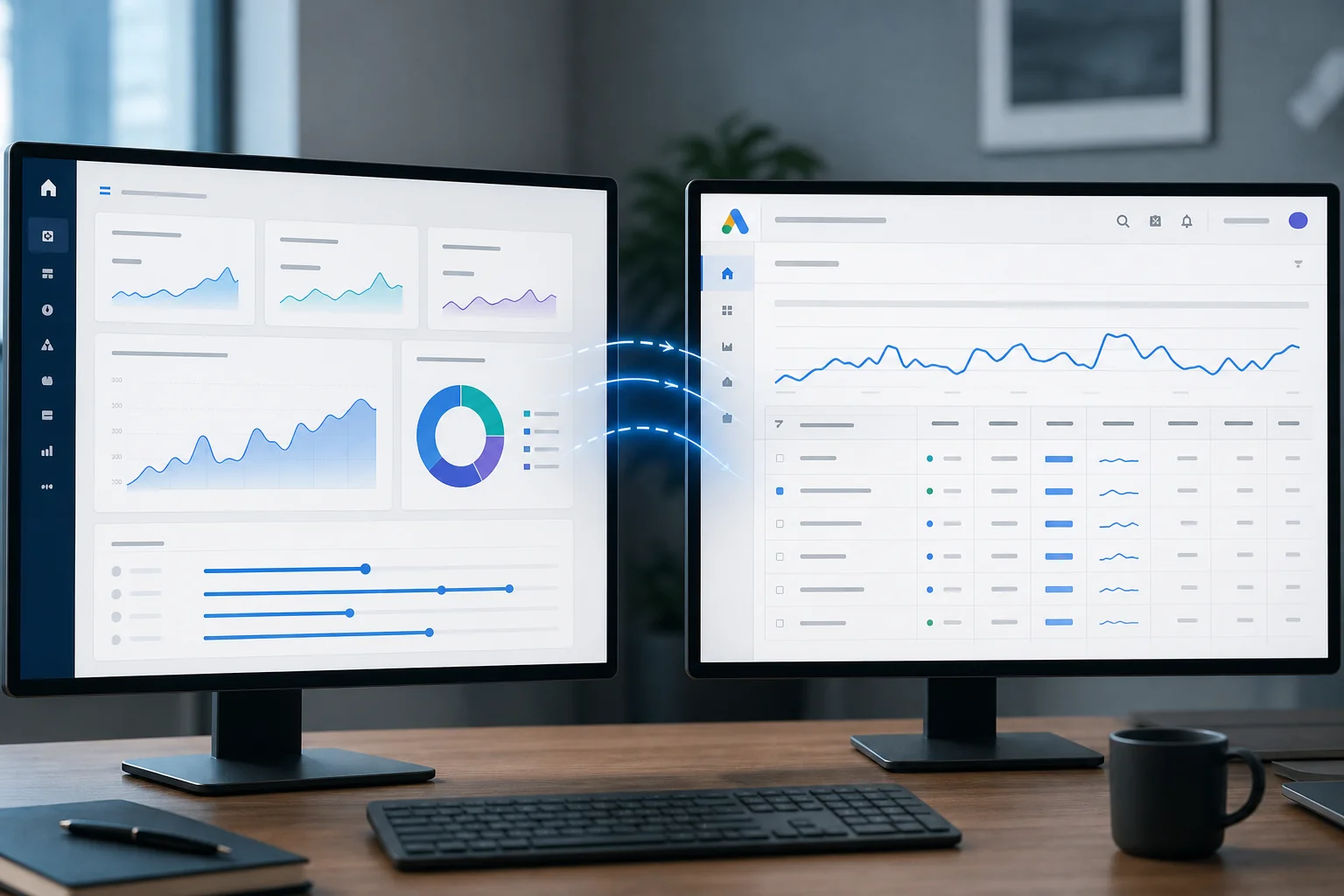
Split-screen image: one side shows a digital analytics dashboard, the other a Google Ads interface, both in corporate blues a

What is an Attribution Window?

An attribution window is the period during which a conversion, such as a purchase or a form submission, can be attributed to a specific ad interaction. This window is crucial because it determines how long after an ad click or view a conversion can be counted. For example, if a user clicks on an ad and then makes a purchase five days later, the attribution window must be long enough to recognize that interaction as a conversion related to that ad.

How Different Platforms Define Attribution Windows

Different platforms have unique ways of defining and applying attribution windows, which can lead to mismatches in conversion reporting. Google Ads typically utilizes a last-click attribution model by default but allows for various other models, such as data-driven attribution. In contrast, GA4 offers more diverse attribution models, including first-click, linear, and time decay, which can be adjusted based on user behavior.

Additionally, the way these platforms handle cross-domain tracking can also affect conversion counts. If a user interacts with multiple domains before converting, the attribution window settings might dictate which platform receives credit for the conversion. If GA4 attributes a conversion to an earlier interaction due to a broader attribution model, while Google Ads credits a later interaction, this can create a noticeable gap between reported conversions.

Moreover, consent mode can further complicate matters. When users opt out of tracking, GA4 may not register certain conversions that Google Ads still attributes based on prior interactions. This difference in data collection practices underscores the importance of understanding how attribution windows function across platforms to reconcile the conversion mismatch effectively.

Cross-Domain Tracking: A
Common Source of Discrepancies

Importance of Cross-Domain Tracking

Cross-domain tracking is essential for accurately monitoring user interactions across multiple websites. When users navigate between domains—such as from a landing page to a checkout page—failing to track these transitions properly can lead to significant discrepancies in conversion data. For instance, if your eCommerce site tracks conversions on a separate domain without proper linking, GA4 may not attribute the conversion correctly. This can explain some of the mismatches observed in the conversion mismatch scenario, as each platform may handle user sessions differently.

Implementation Challenges and Solutions

Implementing cross-domain tracking can be complex due to several factors:

  1. Configuration Errors: Often, misconfiguration occurs in Google Tag Manager (GTM) settings. Ensure that both domains share the same Google Analytics property and that the linking is set up correctly.

  2. User Consent: With the introduction of consent mode, user consent settings can impact data collection. If users deny consent on one domain, GA4 may not record their activity, leading to lower conversion counts compared to Google Ads, which might still attribute conversions based on previous interactions.

  3. Attribution Windows: Different attribution windows can lead to further discrepancies. GA4 has flexible attribution options, including first-click and last-click models, while Google Ads typically uses last-click attribution by default. This difference can cause variations in reported conversions based on the timing of user interactions.

To address these challenges, regular audits of your tracking setup are crucial. A Conversion Tracking Audit can help identify misconfigurations or gaps in your cross-domain tracking implementation, ensuring that both GA4 and Google Ads provide accurate and complementary data.

The Impact of Consent
Mode on Data Reporting

Modern office scene with diverse professionals discussing data privacy, featuring a sleek screen with analytics and subtle pr

What is Consent Mode?

Consent Mode is a feature that allows Google tags to adjust their behavior based on a user's consent status for tracking. When a user opts out of tracking, Consent Mode modifies the way data is collected and reported. This is particularly important for compliance with privacy regulations like GDPR, which require explicit user consent for data collection.

In this mode, Google’s tracking scripts will only send aggregated and modeled data to Google Analytics and Google Ads when consent is not granted. This means that if a user declines tracking, GA4 may not register certain events, leading to a potential mismatch in conversion data when compared to Google Ads, which might still attribute conversions based on click data.

Effects of User Consent on Conversion Tracking

User consent has a direct impact on conversion tracking accuracy. Here are the key effects:

  • Reduced Data Collection: If users do not provide consent, GA4 may not track specific events or conversions, affecting the total conversion count reported.

  • Attribution Gaps: Google Ads could attribute conversions based on clicks, even when GA4 lacks the corresponding event data due to consent limitations. This discrepancy can lead to significant differences in reported conversions between the two platforms.

  • Modeling Limitations: In the absence of direct consent, GA4 relies on modeled data—estimates based on patterns from consented users. This can introduce further discrepancies, particularly if user behavior varies widely between those who consent and those who do not.

Understanding how Consent Mode affects your data reporting is crucial for resolving the conversion mismatch. It highlights the need for careful implementation and monitoring of tracking mechanisms to ensure alignment between platforms.

Best Practices for Aligning
GA4 and Google Ads Data

Implementing Accurate Event Tracking

To effectively align data between GA4 and Google Ads, accurate event tracking is essential. Both platforms rely on events to measure user interactions, but how these events are recorded can differ significantly. In GA4, event tracking allows for detailed analysis of user behavior, capturing interactions such as clicks, page views, and form submissions. Google Ads also tracks conversions based on specified events, but its tracking may not capture every interaction if the event definitions do not align.

For instance, ensure that the same event parameters are used across both platforms. If GA4 and Google Ads define or key the same conversion action differently, conversions may be misattributed. Regular audits of your event tracking setup can help identify these discrepancies and ensure both platforms are measuring the same interactions.

Consistent Conversion Definitions Across Platforms

Another fundamental aspect of addressing the ga4 vs google ads conversion mismatch is maintaining consistent conversion definitions. Both platforms can define conversions differently, leading to discrepancies in reported data. For example, GA4 might count conversions based on user engagement metrics, while Google Ads primarily focuses on direct interactions with ads.

To minimize inconsistencies:

  • Establish clear definitions for what constitutes a conversion in both GA4 and Google Ads.
  • Align conversion goals across platforms, ensuring that the same user actions are tracked as conversions.
  • Consider the impact of attribution windows. Google Ads often has a longer attribution window than GA4, which can lead to differences in reported conversions.

By addressing event tracking accuracy and ensuring consistent conversion definitions, marketing teams can better understand the performance of their campaigns, leading to more informed decision-making. For a thorough analysis of your tracking setup, consider utilizing our Conversion Tracking Audit service.

Common Challenges and
Solutions in Conversion Reporting

Diverse business team discusses conversion reporting at a conference table, analyzing data charts on a large screen in a mode

Misunderstanding Conversion Metrics

A frequent source of confusion arises from how conversion metrics are defined and reported across GA4 and Google Ads. Each platform uses different methodologies for measuring conversions. For instance, Google Ads may apply a last-click attribution model, which attributes the conversion to the last ad clicked before the conversion event. In contrast, GA4 offers various attribution models, including data-driven attribution, which allocates credit based on the interaction paths taken by users.

These differences mean that an event recorded in GA4 may not match the conversion reported in Google Ads. Misalignment can also occur because each platform applies its own counting and deduplication rules. When the same user action is measured differently across tools, this can lead to inflated or reduced numbers in one platform relative to the other.

Addressing Data Gaps and Inaccuracies

Another critical challenge involves data gaps stemming from consent mode settings and cross-domain tracking configurations. Consent mode adjusts how Google tags behave based on user consent for tracking. If a user opts out, conversion data may not be recorded, leading to discrepancies.

Additionally, improper cross-domain tracking can result in missed conversions. For example, if a user browses your site and then completes a purchase on a different domain without proper tracking setup, that conversion may not be captured accurately in either platform.

To tackle these issues, consider conducting a thorough audit of your tracking configurations. This includes verifying that your event definitions are consistent across platforms, ensuring proper attribution windows are set, and confirming that consent mode settings are aligned with your data collection goals.

For businesses facing significant discrepancies, a Conversion Tracking Audit service can provide insights into these technical challenges, ensuring that your conversion tracking is both accurate and actionable.

Tools and Resources
for Effective Tracking

Recommended Tools for Analytics and Tracking

To address the ga4 vs google ads conversion mismatch, having the right tools in place is crucial for effective tracking. Below are some recommended tools that can help ensure accurate data collection and reporting:

  • Google Analytics 4 (GA4): GA4 enhances data collection through event-based tracking. Utilize its features like custom event definitions and user properties to gain deeper insights into user behavior.

  • Google Tag Manager (GTM): GTM allows for flexible tag management without the need for constant code changes. Properly configured tags ensure that events and conversions are tracked accurately across platforms.

  • Google Ads Conversion Tracking: This tool helps track the effectiveness of your ad campaigns by measuring actions taken by users after interacting with your ads. Make sure to align conversion actions with the events tracked in GA4.

  • Cross-Domain Tracking: If your business operates across multiple domains, implementing cross-domain tracking is essential. This ensures that user sessions are tracked seamlessly, preventing lost conversions.

Helpful Resources for Further Learning

Staying updated on analytics tools and methodologies can greatly enhance your tracking strategy. Here are some resources to consider:

  • Google Analytics Academy: This platform offers free courses on GA4 and GTM, helping users understand the intricacies of event tracking and reporting.

  • Official Google Documentation: Regularly consulting Google’s official documentation can provide insights into updates and best practices for tracking and attribution.

  • Industry Blogs and Webinars: Websites like Moz and Search Engine Land often feature expert discussions on analytics and conversion tracking. Engaging with these resources can provide fresh perspectives and tips.

  • Online Communities: Platforms like Reddit and LinkedIn groups can be valuable for networking with peers facing similar challenges. Sharing experiences can lead to discovering effective solutions.

By leveraging these tools and resources, marketing teams can better navigate the complexities of tracking conversions and address any discrepancies that arise between GA4 and Google Ads. For a thorough examination of your current setup, consider our Conversion Tracking Audit service.

Hypothetical Example: Analyzing
a Conversion Mismatch Scenario

Diverse professionals collaborate over digital devices, analyzing e-commerce metrics on a screen in a dynamic office setting.

A Case Study Approach

To illustrate the common issues surrounding the ga4 vs google ads conversion mismatch, consider a hypothetical e-commerce business, "TechGadgets." TechGadgets runs campaigns on Google Ads while using Google Analytics 4 (GA4) for tracking user interactions. After a recent marketing push, TechGadgets notices significant discrepancies in conversion data between GA4 and Google Ads.

The root cause of this mismatch can often be traced back to variations in attribution windows. Google Ads can count click-based conversions on a different lookback window than GA4, so a conversion may be credited to an ad in one tool but fall outside the window used by the other. In contrast, GA4 allows for flexible attribution models, potentially leading to different conversion counts.

Additionally, the implementation of cross-domain tracking can complicate matters. If TechGadgets has not set up cross-domain tracking correctly, users navigating between their main site and a checkout domain may not be tracked accurately. This oversight can result in lost conversions or misattributed events.

Lastly, consent mode can play a significant role in conversion reporting. For instance, if users decline consent for tracking, GA4 may not record certain events, while Google Ads might still attribute conversions based on its own tracking mechanisms. This discrepancy can lead to an inflated number of conversions reported by Google Ads compared to GA4.

Key Takeaways from the Example

  • Discrepancies often arise from differences in attribution windows between platforms.
  • Proper configuration of cross-domain tracking is critical to accurately capturing user journeys.
  • User consent impacts data collection, affecting conversion reporting across platforms.

Understanding these factors can help businesses like TechGadgets diagnose and resolve their conversion reporting issues, ensuring more accurate data across their marketing channels. For a deeper analysis of your conversion tracking setup, consider our Conversion Tracking Audit service.

Your Questions Answered

Conclusion

Diverse professionals collaborate around a conference table, analyzing data on a laptop with a city skyline in the background

In summary, the ga4 vs google ads conversion mismatch presents several challenges for marketers. Key factors include varying attribution windows, the complexities of cross-domain tracking, and the effects of consent mode. Recognizing these influences can help you better interpret your conversion data.

To address these issues, consider implementing best practices for aligning your tracking systems. Start by auditing your current setup and reviewing attribution models. This proactive approach will enhance your reporting accuracy and ultimately support your marketing goals. For a tailored analysis of your conversion tracking setup, explore our Conversion Tracking Audit service.

Questions
Answered

Common questions related to this topic.

What is ga4 vs google ads conversion mismatch?

The ga4 vs google ads conversion mismatch refers to discrepancies in reported conversion data between Google Analytics 4 and Google Ads, often due to differences in tracking methods, attribution models, or user consent settings. Understanding these discrepancies helps marketers adjust their reporting and optimize campaigns.

How do attribution windows affect conversion reporting?

Attribution windows determine the time frame during which a conversion is credited to an ad interaction. Different platforms may use varying attribution windows, leading to mismatches in reported conversions. For example, if GA4 uses a 30-day window while Google Ads uses a 7-day window, their conversion numbers will differ.

Why is cross-domain tracking important in this context?

Cross-domain tracking is crucial for accurately capturing user interactions across multiple domains. Incorrect setup can lead to missed conversions or inaccurate attribution, resulting in discrepancies between GA4 and Google Ads data. Proper configuration ensures that conversions are tracked consistently across all platforms.

When should I consider using consent mode?

Consider using consent mode when you want to respect user privacy while still gathering valuable data. Consent mode adjusts how Google tags behave based on user consent, impacting conversion reporting. Understanding its effects can help in accurately aligning data between GA4 and Google Ads.

Can I fix the conversion mismatch between GA4 and Google Ads?

Yes, you can address the conversion mismatch by auditing your tracking setup, aligning attribution models across platforms, and ensuring correct cross-domain tracking implementation. Regularly reviewing your data collection methods can help minimize discrepancies and improve reporting accuracy.

What causes conversion mismatches between GA4 and Google Ads?

Conversion mismatches typically arise from differences in attribution windows, tracking methodologies, and user consent settings. These factors can lead to discrepancies in how each platform reports conversions for the same user actions.

How do attribution windows affect conversion reporting in GA4 and Google Ads?

Attribution windows define the timeframe in which conversions are linked to user interactions. Google Ads often has longer attribution windows than GA4, which can result in different conversion counts for similar actions across the two platforms.

What role does cross-domain tracking play in conversion discrepancies?

Cross-domain tracking is crucial for accurately capturing user interactions across multiple domains. If not set up correctly, it can lead to missed or inaccurately attributed conversions, contributing to the mismatch between GA4 and Google Ads data.

How does user consent impact conversion tracking in GA4 and Google Ads?

User consent affects how Google tags operate, particularly in terms of data collection for tracking. Variations in consent can cause Google Ads to report modeled conversions while GA4 may show fewer directly observed events, leading to discrepancies.

What steps can be taken to resolve conversion mismatches between GA4 and Google Ads?

Conducting a thorough audit of your conversion tracking systems is essential to identify and rectify discrepancies. This ensures that all tracking mechanisms are properly implemented and aligned with your business objectives for accurate performance measurement.

Free Strategy Call

Ready To GrowThis Into Results?

Explore the real reasons behind GA4 vs Google Ads conversion mismatch and how to address them effectively.

Opportunity Assessment
Channel Review
Growth Recommendations
No Obligation
OR

Prefer to reach out directly? We'll get back to you as soon as possible.

Contact MASS DATA Today
Scroll to Top