AI Search Traffic GA4: How to Track ChatGPT and AI Referrals
Discover how to measure AI search traffic in GA4 using the new AI Assistant channel. Learn how to identify ChatGPT, Perplexity, Claude, and Gemini referrals, build custom channel reports, understand Google AI Overviews tracking limitations, and evaluate AI traffic through engagement and conversions.
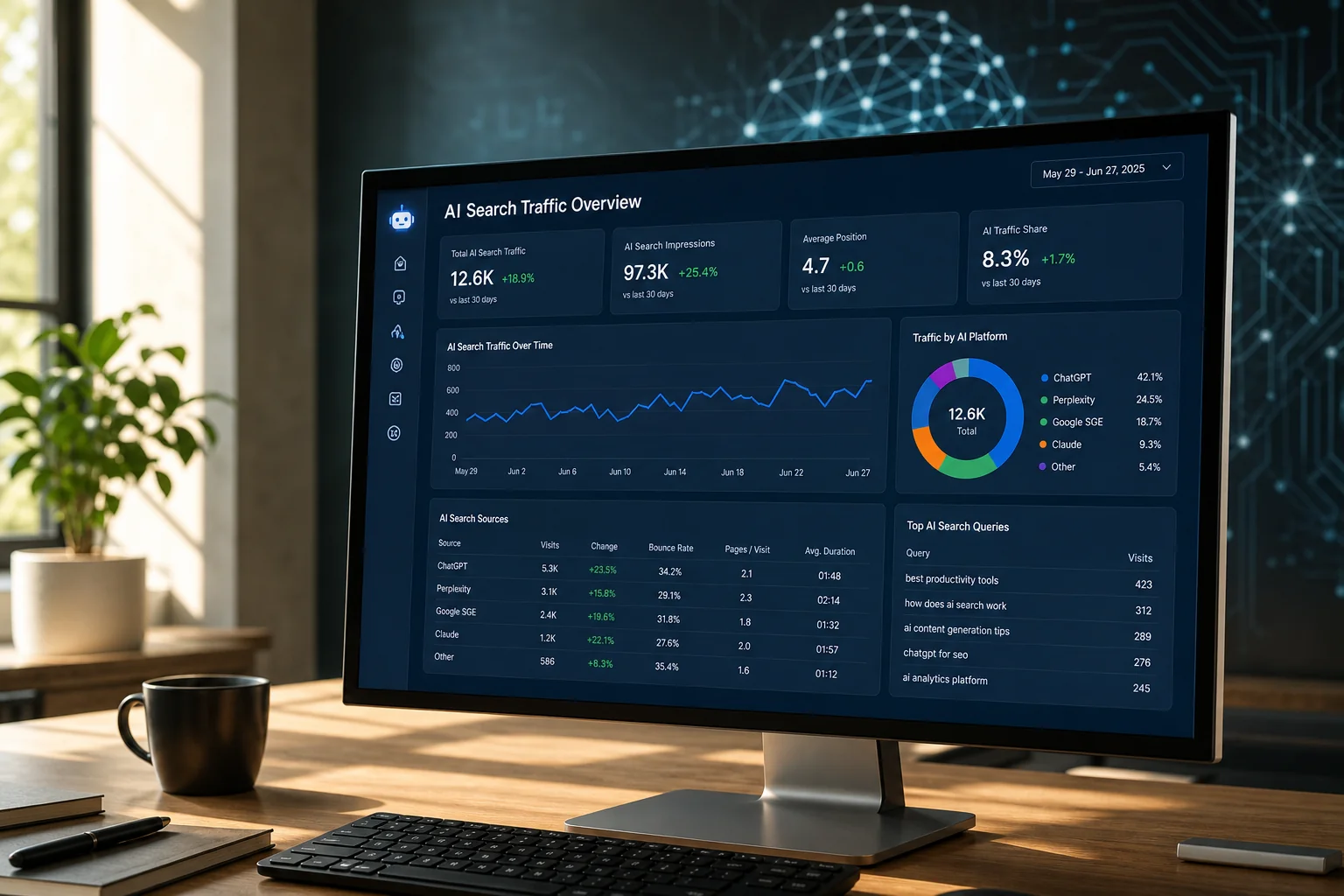
AI Search Traffic GA4: Understanding
Where AI-Driven Visitors Come From
A potential customer asks ChatGPT to recommend a marketing analytics platform, compares several solutions in Perplexity, or uses Google's AI Mode to research a service provider. After receiving an AI-generated answer, they follow a link to your website. The visitor may spend time reading your content, complete a form, or make a purchase, but how can you tell that the visit originated from an AI-powered platform?
Measuring AI search traffic GA4 is becoming increasingly important as conversational search changes how people discover businesses and research products. Traditional organic search reporting does not always provide a complete picture of these interactions, particularly when visitors arrive through AI assistants rather than conventional search results.
Fortunately, Google Analytics 4 introduced a significant improvement in May 2026: a dedicated AI Assistant channel within its default channel grouping. This makes it easier to identify visits from recognized AI tools without creating additional tracking parameters or custom events simply to distinguish their source.
However, AI traffic measurement still has limitations. Not every AI platform passes recognizable referral information, some visits may be classified under other channels, and Google AI Overviews or AI Mode traffic is not equivalent to referrals from independent AI assistants.
This guide explains how to:
-
Identify AI Assistant traffic in GA4 using the latest reporting features.
-
Analyze visits from ChatGPT, Perplexity, Gemini, Claude, and other AI platforms.
-
Create custom reports and channel groupings when additional segmentation is needed.
-
Understand why some AI-driven visits appear as Direct, Referral, or Organic Search.
-
Connect AI referral activity with engagement, key events, and business results.
The objective is to establish a reliable reporting framework that distinguishes observable AI referrals from broader AI search visibility without overstating what analytics platforms can measure.
What Counts as AI
Search Traffic in GA4?
AI search traffic refers to website visits that can be associated with AI-powered discovery experiences. These may include conversational assistants, answer engines, and AI-enhanced search interfaces that provide users with information and links to supporting websites.
However, not all AI-related visits reach websites in the same way. A visitor following a citation in ChatGPT may generate identifiable referral information, while someone clicking a link within Google AI Overviews may appear within ordinary Google organic search traffic. These differences matter because they determine what GA4 can measure directly.
The first step is to distinguish between traffic from external AI assistants and traffic generated through AI features integrated into conventional search engines.
AI Assistant Referrals vs. Google AI Search
AI assistants such as ChatGPT, Claude, Perplexity, and Gemini can direct users to external websites through links included in their responses. When sufficient referral information reaches GA4, the resulting sessions can be associated with the relevant platform.
Google AI Overviews and AI Mode work differently because they are part of Google's search ecosystem. Clicks from those experiences generally contribute to Google's broader search measurement rather than appearing as separate referrals from ChatGPT-style assistant domains.
This means an increase in visits from ChatGPT does not necessarily indicate that a website is also gaining visibility in Google AI Overviews. Conversely, a business may receive exposure through Google's generative search features without seeing corresponding growth in GA4's AI Assistant channel.
Mass Data's comparison of Google AI Mode vs AI Overviews explains how these experiences differ and why search visibility and website clicks should be analyzed separately.
GA4's AI Assistant Channel:
What Changed in 2026?
In May 2026, Google Analytics introduced a dedicated AI Assistant channel within its default channel group. This was an important change for marketers because AI-generated referrals had previously been more difficult to distinguish from ordinary referral traffic.
According to Google's official Default Channel Group documentation, AI Assistant includes visits associated with recognized services such as ChatGPT, Gemini, DeepSeek, Copilot, and Grok. For recognized AI referrals, GA4 can assign the medium ai-assistant and campaign value (ai-assistant).
This classification allows marketers to evaluate AI-driven sessions alongside established acquisition channels, including Organic Search, Referral, Paid Search, and Direct. However, Google's recognized source list can change, and not every AI platform or referral format will necessarily be included.
Why the New Channel Matters
Before this update, marketers frequently created custom channel definitions to identify AI traffic among referral sources. These custom reports are still useful, particularly when businesses want to analyze additional platforms or compare historical data, but they are no longer necessary simply to access a basic AI Assistant reporting category.
The native classification also reduces dependence on manual tagging. Website owners do not control how every external AI assistant creates links or supplies referral information, so adding tracking parameters to published content is not a reliable universal solution.
The practical approach is to start with GA4's existing AI Assistant channel, examine the individual traffic sources it recognizes, and introduce additional reporting rules only when there is a clear analytical need.
How to Find AI Search
Traffic in GA4: Step by Step
You can begin measuring AI search traffic GA4 using the standard Traffic Acquisition report. The process does not require a new GA4 data stream, additional website events, or changes to the published links on your website, provided GA4 is already collecting website traffic correctly.
Start by opening the GA4 property associated with your website. Navigate to the acquisition reports and review the default channel grouping. If recognizable AI referral activity has been recorded, the AI Assistant channel can appear alongside the other acquisition channels.
Step 1: Open the Traffic Acquisition Report
Navigate to:
Reports → Acquisition → Traffic acquisition
Depending on the property's report navigation, the acquisition section may appear within the broader business objectives or lifecycle reporting structure.
Select Session default channel group as the primary dimension if it is not already displayed. This allows GA4 to organize sessions according to its default acquisition classifications.
Look for the AI Assistant channel. If it is present, review its sessions, engaged sessions, engagement rate, and other available performance metrics.
If the channel is not displayed, that does not necessarily mean the GA4 implementation is broken. The property may not have recorded qualifying AI Assistant traffic during the selected period, or some visits may have been classified differently.
Step 2: Identify Individual AI Platforms
After reviewing the AI Assistant channel, change the report dimension to Session source / medium or Session source. These dimensions help identify the sources associated with individual sessions.
Depending on the referrer and GA4's classification, you may encounter sources such as:
|
AI platform |
Example source identifier |
|---|---|
|
ChatGPT |
|
|
Perplexity |
|
|
Claude |
|
|
Gemini |
|
|
Microsoft Copilot |
|
These examples are potential source identifiers, not a guarantee that every visit from the platform will appear under that exact value. Application versions, referral behavior, and analytics classification can affect the information received.
Use the report search field or an appropriate comparison to isolate the sources you want to investigate. When examining traffic over time, use consistent reporting periods and account for potential changes in how GA4 classifies recognized assistants.
Step 3: Analyze Landing Pages and Engagement
Identifying the referral source is only the beginning. A useful report should also show which landing pages attract visitors from AI assistants and what those visitors do after arriving.
For example, a marketing consultancy may discover that its technical guides about GA4, conversion tracking, and CRM integration generate more AI referral activity than its general service pages. This information can help identify topics that attract relevant research-oriented visitors.
Review engagement metrics alongside key events and conversions. A small number of highly qualified visits may be more commercially valuable than a larger group of visitors who leave without meaningful interaction.
The goal is to understand whether AI-driven discovery contributes to customer engagement and business outcomes, not simply count visits from different platforms.
How to Create a Custom
AI Referral Report in GA4

The native AI Assistant channel provides a useful starting point, but some businesses need more detailed segmentation. For example, an agency may want to compare ChatGPT, Claude, and Perplexity individually, include additional recognized domains, or analyze historical traffic that predates the introduction of Google's default AI Assistant channel.
A custom channel group can help address these requirements. It allows analysts to define their own traffic classifications using conditions such as source or medium, while keeping the original GA4 data available.
Creating an AI Referral Channel Group
Open Admin → Data display → Channel groups, then create a new custom channel group using the available configuration controls. Editing permissions are required to create or modify these settings.
Add an appropriately named channel, such as AI Referrals, and define the source conditions that represent the platforms you want to include. A regular expression can be useful when several domains need to be matched consistently, although the exact expression should be tested against the source values present in the property.
For example, an illustrative source-matching expression is:
.*(chatgpt\.com|chat\.openai\.com|perplexity\.ai|claude\.ai|gemini\.google\.com|copilot\.microsoft\.com).*
This expression is a starting point, not a comprehensive or permanent list of AI platforms. It should be tested against actual GA4 source values and adjusted when necessary.
Channel ordering also matters because a session can match more than one rule. Place the custom AI referral channel above broader classifications that might otherwise capture the same traffic, such as Referral, and consider how it interacts with the existing AI Assistant channel.
When Custom Reporting Is Worth the Effort
A custom channel group is most useful when the default reports do not answer an important business question. For example, a company may need to distinguish ChatGPT referral traffic from other AI assistants or compare historical traffic classifications across an extended reporting period.
Custom channel groups can be applied when analyzing existing data, making them useful for retrospective comparisons. However, changing reporting definitions can also make historical comparisons confusing if the methodology is not documented.
Businesses should therefore use consistent classifications and explain changes in reporting methodology when presenting performance trends to clients or management.
Why Some AI Referrals
Are Missing From GA4
Even with the new AI Assistant channel, not every visit influenced by an AI platform can be identified reliably. GA4 depends on the information available when the session begins, including referring domains, campaign information, and other acquisition signals.
Some AI applications may not pass recognizable referral information. In other situations, a user might receive a recommendation from an AI assistant but open the website separately by typing the address into a browser. GA4 cannot reliably determine that the original discovery occurred through an AI-generated recommendation.
Direct Traffic and Missing Referrers
When GA4 does not receive sufficient information to identify a visitor's acquisition source, the session may appear under Direct or another applicable classification. This can occur for several reasons, including application behavior, browser privacy restrictions, and the absence of referral information.
For example, someone could ask an AI assistant for a recommended analytics agency, remember the agency's name, and visit its website directly several minutes later. The website visit may be influenced by the AI recommendation, but GA4 cannot necessarily establish that connection.
Consequently, AI search traffic GA4 reports should be interpreted as measurements of identifiable visits rather than complete records of every interaction influenced by artificial intelligence.
Why You Should Not Add UTM Parameters to AI Links
A common recommendation in older tutorials is to add UTM parameters to links associated with AI assistants. However, this is not a dependable solution for measuring organic AI referrals because website owners generally do not control the links generated within independent AI platforms.
Some platforms may add referral or campaign information themselves, while others may not. Such information can affect how GA4 classifies the resulting session, but manually modifying your website's internal or external links will not make third-party assistants consistently identify their traffic.
For content publishers, the better approach is to maintain clean, canonical website URLs and analyze the source information that reaches GA4. Campaign tagging remains useful for promotional links a business directly controls, but it should not be confused with the measurement of earned AI search referrals.
Can GA4 Track Traffic From
Google AI Overviews and AI Mode?

One of the most important limitations involves Google's own AI search features. Although Google AI Overviews and AI Mode use generative AI, clicks from these experiences generally belong to Google's search ecosystem rather than the same referral category used for independent AI assistants.
As a result, GA4 does not provide a universally reliable method for distinguishing every visit from AI Overviews or AI Mode from conventional Google organic search visits.
Businesses should therefore avoid presenting the AI Assistant channel as a complete measurement of all AI search traffic. It primarily helps identify traffic associated with recognized AI assistant sources, while Google's generative search experiences require additional analysis.
Using Search Console's Generative AI Reports
Google introduced dedicated Search Generative AI performance reports in Search Console in June 2026, completing their global rollout by August 31, 2026. These reports provide additional information about a website's visibility within generative AI features in Google Search and Discover.
The reports include impressions, pages appearing in generative AI features, countries, dates, and relevant device information. This helps website owners understand which pages gain exposure through Google's AI-powered search experiences, even when a visit does not necessarily follow.
However, this visibility reporting is not equivalent to a complete session-level attribution report inside GA4. Search Console measures search exposure, while GA4 measures activity after users reach the website. The two datasets should be evaluated together, with their different measurement purposes clearly understood.
Mass Data's guide to AI search optimization in 2026 explores how businesses can improve discoverability across AI search platforms while maintaining established SEO fundamentals.
Which Metrics Matter When
Measuring AI Search Traffic?
A basic AI referral report may display sessions and engagement, but those figures do not necessarily reveal whether the traffic contributes to business growth. The most useful metrics depend on the objective of the website and the customer journey.
For a B2B services company, meaningful outcomes may include consultation requests, qualified leads, and sales opportunities. An ecommerce business may focus on purchases, revenue, average order value, and customer acquisition efficiency. A publisher may prioritize engaged sessions, returning visitors, newsletter registrations, and other audience development indicators.
The analysis should distinguish between initial visits and subsequent business outcomes. A visitor discovering a company through ChatGPT may return through Google Search several days later before submitting an inquiry, making the contribution of the initial AI referral difficult to interpret through a single acquisition report.
Compare AI Referral Quality With Other Channels
Comparisons with Organic Search, Referral, and Direct traffic can help identify whether AI visitors behave differently from other website audiences. However, these comparisons should use consistent definitions, suitable date ranges, and enough observations to avoid overinterpreting small samples.
Consider the following hypothetical example:
|
Metric |
AI Assistant |
Organic Search |
|---|---|---|
|
Sessions |
400 |
5,000 |
|
Engagement rate |
70% |
62% |
|
Key events |
20 |
150 |
|
Session key event rate |
5.0% |
3.0% |
These figures are illustrative and do not represent actual Mass Data data or industry benchmarks. They show why traffic volume alone can be misleading: a smaller acquisition source may have stronger engagement or conversion characteristics, but its commercial importance still depends on the value and quality of the outcomes recorded.
For more comprehensive analysis, businesses should evaluate acquisition reports alongside CRM records, sales results, and other relevant information. A well-designed reporting process connects marketing activity with customer outcomes rather than treating each analytics metric as an isolated indicator.
Tracking Brand Visibility
Beyond Website Traffic

Not every AI-generated recommendation produces an immediate visit. A user may discover a brand in a ChatGPT response, compare alternatives, and later search for the company's name through Google. The original AI interaction may contribute to awareness even when GA4 cannot attribute the resulting session to the assistant.
This creates a distinction between AI referral traffic and AI brand visibility. Referral traffic measures identifiable visits, while brand visibility concerns whether a company appears in relevant AI-generated answers, how it is described, and whether it is presented alongside competitors.
Both dimensions are valuable, but they require different measurement approaches. Referral traffic can be analyzed through GA4, while brand visibility may require systematic monitoring of relevant prompts and responses across individual AI platforms.
Mass Data's guide to tracking brand visibility in ChatGPT, Perplexity, and Gemini explains how marketers can monitor mentions, supporting citations, and competitive positioning.
The strongest approach combines these observations without treating them as interchangeable. A brand can receive more AI mentions without an immediate increase in website visits, while referral traffic may rise because a particular article becomes useful for a narrow set of customer questions.
How to Build an
AI Search Traffic Dashboard
A dedicated dashboard can help marketers monitor AI referral activity without repeatedly creating individual GA4 reports. The dashboard should combine acquisition, engagement, and conversion information while preserving the distinction between identified referrals and broader AI search visibility.
For a straightforward implementation, GA4's existing acquisition reports may be sufficient. Businesses requiring more advanced analysis can use Looker Studio or another supported business intelligence platform to organize the relevant measurements into a single reporting environment.
The dashboard should prioritize a limited number of commercially useful indicators. Sessions, engaged sessions, engagement rate, key events, and relevant conversion values can provide a foundation, while landing-page and source comparisons help explain where activity originates.
Combine GA4 With Search Console
Where possible, reporting should include separate views for identifiable AI Assistant visits and Google's generative AI search visibility. This allows businesses to monitor activity across different types of AI discovery without suggesting that the datasets measure exactly the same events.
A useful executive dashboard might contain an acquisition overview, a comparison of AI assistant sources, a list of relevant landing pages, and a section describing conversion performance. Generative search visibility from Search Console can be presented separately with clearly defined metrics.
Mass Data's business intelligence and data reporting services help businesses connect GA4, advertising platforms, CRM systems, and other data sources into dashboards focused on meaningful performance indicators. This becomes particularly useful when AI referral analysis forms part of a larger customer acquisition and attribution strategy.
Common Problems When Measuring
AI Search Traffic in GA4
One common mistake is assuming that every AI-generated visit will appear under the AI Assistant channel. The source may not be recognized, referral information may be unavailable, or the visit may be classified according to other acquisition rules. Businesses should review the actual source and medium values before concluding that AI referrals are absent.
Another issue is creating unnecessary custom events to identify the original referral source. GA4 already collects traffic acquisition information through its standard measurement system. Additional events may be useful for tracking what visitors do on the website, but they are not inherently required to identify where a session originated.
Avoid Misinterpreting Attribution and Reporting Differences
Marketers should also distinguish between session acquisition and conversion attribution. A session may begin with an identifiable AI referral, while the eventual conversion may receive credit under a different reporting methodology or after subsequent customer interactions.
Different GA4 reports can use dimensions with different scopes. For example, a first-user acquisition report answers a different question from a session-based traffic acquisition report. Comparing their totals without considering those definitions can produce misleading conclusions.
Mass Data's article on why marketing dashboard numbers don't match explains how attribution differences, event definitions, consent restrictions, and inconsistent reporting configurations affect marketing analytics.
When discrepancies cannot be explained through reporting methodology alone, a technical investigation may be necessary. Missing events, incorrect GA4 configuration, consent-related data gaps, or duplicate conversions can influence the reliability of AI referral reporting just as they affect other acquisition channels.
Hypothetical Example: Measuring ChatGPT
Referrals for a B2B Agency

Consider a hypothetical digital marketing agency publishing detailed articles about Google Ads conversion tracking, GA4 reporting, and marketing automation. The agency notices that potential customers increasingly mention discovering its content through AI-powered research tools.
To investigate, the marketing team opens GA4's Traffic Acquisition report and reviews the AI Assistant channel. It identifies visits from recognized assistant sources and examines which landing pages receive the most traffic. The team then creates a custom report to compare engagement and consultation requests across different sources.
The initial analysis shows that technical articles attract more AI referrals than general company information pages. However, the agency does not assume that this traffic automatically generates more customers.
Connecting Referral Traffic With Qualified Leads
The agency compares the identified sessions with recorded consultation requests and subsequent CRM outcomes. Some AI referrals result in immediate inquiries, while others may contribute to a longer research process that is not fully visible through session-level reporting.
The team also reviews Search Console's generative AI visibility information to understand whether its content appears in Google's AI-powered search experiences. These measurements are kept separate from ChatGPT and other identifiable referral sessions to avoid combining different sources of evidence.
This scenario is hypothetical and does not represent actual Mass Data client results. It demonstrates how marketers can use existing analytics tools to develop a more realistic understanding of AI-driven discovery without claiming to measure every interaction.
When an AI Traffic
Tracking Audit Is Necessary
An AI traffic report is only as reliable as the underlying GA4 implementation. If events are missing, consent settings are inconsistent, or important pages do not collect analytics information correctly, reporting can understate activity regardless of the original acquisition source.
Businesses should investigate unexpected gaps between source reports, website activity, and recorded business outcomes. This includes checking whether the GA4 tag is consistently deployed, whether unwanted referral exclusions influence classification, and whether important conversion events are configured correctly.
A broader audit becomes particularly useful when a business combines several marketing platforms and relies on the data for budget allocation or customer acquisition decisions.
MASS DATA's Conversion Tracking Audit helps identify measurement problems across GA4, GTM, advertising platforms, consent implementations, and connected reporting systems. The objective is to establish dependable data before using AI traffic trends to make important business decisions.
Best Practices for Monitoring
AI Search Traffic Over Time
AI referral measurement should be treated as an ongoing reporting activity rather than a one-time configuration project. New assistants enter the market, existing platforms change how they present links, and analytics systems update their source classifications. A report built around a fixed list of domains may therefore need occasional review.
Businesses should monitor changes in AI Assistant sessions, review the sources included in any custom channel groups, and keep reporting definitions consistent. When classifications change, document the update so that historical comparisons remain understandable.
The most useful analysis also considers content performance. If specific articles attract relevant AI referrals, investigate whether they answer genuine customer questions and provide enough detail to support informed decisions. Improving content quality can be valuable even when the resulting increase in AI visibility cannot be attributed to a single optimization.
Ultimately, AI search traffic GA4 measurement should support a broader understanding of customer discovery. Marketers need to know which AI platforms send identifiable visitors, how those visitors engage with the website, and whether the traffic contributes to meaningful business outcomes.
Conclusion
Measuring AI search traffic GA4 has become more straightforward following the introduction of the AI Assistant channel in May 2026. Marketers can now identify many recognized AI referral sources using standard acquisition reports without relying on unnecessary manual tracking parameters or separate website events.
However, AI-driven discovery extends beyond identifiable referrals. Some visits may appear under other channels, while Google's AI Overviews and AI Mode require additional visibility analysis through Search Console. Businesses should therefore avoid treating a single analytics report as a complete representation of AI's influence on customer acquisition.
The most effective approach combines GA4 acquisition data, relevant Search Console visibility information, accurate conversion tracking, and business outcomes. Start by reviewing the AI Assistant channel, examine the sources and landing pages generating identifiable visits, and build additional reporting only where it answers a meaningful question.
As AI search continues to evolve, reliable measurement will depend on understanding both what analytics platforms can observe and what remains outside their visibility.
Questions
Answered
Common questions related to this topic.
What is ai search traffic ga4?
AI search traffic in GA4 refers to the website traffic generated from interactions with AI tools like ChatGPT. Tracking this type of traffic helps marketers understand how AI influences user engagement and conversions. For instance, knowing the impact of AI-generated referrals can refine advertising strategies.
How can I track AI referrals in GA4?
To track AI referrals in GA4, set up UTM parameters for links shared through AI tools. This enables accurate attribution of traffic sources. By categorizing AI-generated traffic, you can analyze its effectiveness in comparison to other user acquisition channels.
Why is measuring ai search traffic ga4 important?
Measuring AI search traffic in GA4 is crucial for optimizing marketing strategies. It helps identify how AI tools contribute to user engagement and conversion rates. This understanding enables marketers to allocate resources effectively and improve overall campaign performance.
When should I analyze AI traffic in GA4?
Analyzing AI traffic in GA4 should occur regularly, especially after significant marketing campaigns or AI tool engagements. Frequent analysis helps identify trends and changes in user behavior related to AI interactions, allowing for timely adjustments to marketing strategies.
Can GA4 differentiate between direct traffic and AI search traffic?
Yes, GA4 can differentiate between direct traffic and AI search traffic when properly configured. By using UTM parameters and event tracking, marketers can categorize traffic sources and gain insights into how AI tools affect site visits and conversions.
Should I use UTM parameters for tracking AI search traffic in GA4?
Yes, using UTM parameters is highly recommended for tracking AI search traffic in GA4. These parameters provide a clear picture of traffic sources and help ensure that AI referrals are accurately attributed, enhancing data quality for analysis.
Ready To GrowThis Into Results?
Discover how to measure AI search traffic in GA4 using the new AI Assistant channel. Learn how to identify ChatGPT, Perplexity, Claude, and Gemini referrals, build custom channel reports, understand Google AI Overviews tracking limitations, and evaluate AI traffic through engagement and conversions.
Prefer to reach out directly? We'll get back to you as soon as possible.
Contact MASS DATA Today