
Google Ads Enhanced Conversions for Leads: Step-by-Step Setup
Learn how to set up Google Ads Enhanced Conversions for Leads using Google Tag Manager and Google Ads Data Manager. This step-by-step guide covers first-party customer data, CRM conversion imports, hashed email matching, consent requirements, common tracking errors, and methods for improving lead attribution and campaign optimization.
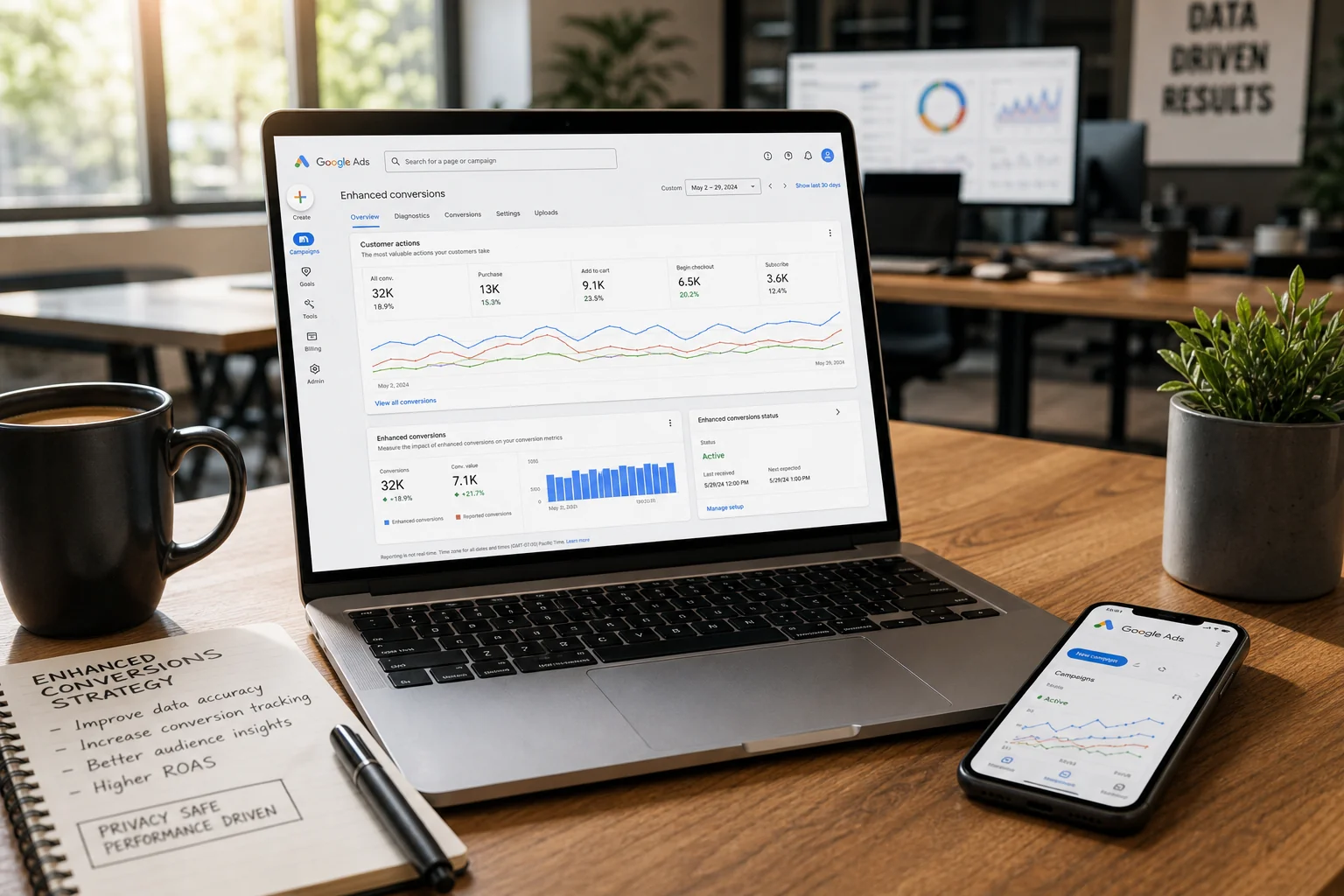
Improve Lead Attribution and Campaign
Optimization With Reliable First-Party Data
Your Google Ads campaigns generate form submissions, consultation requests, and registrations, but how many of those leads actually become paying customers? A campaign might deliver hundreds of inquiries while only a small percentage qualify for further sales conversations. When Google Ads measures only the initial form submission, automated bidding may optimize toward lead volume rather than genuine business value.
Google Ads Enhanced Conversions for Leads helps connect website inquiries with later outcomes recorded in a CRM or another business system. By using appropriately processed first-party information, such as email addresses and phone numbers, businesses can improve conversion matching and gain better insight into which advertising interactions contribute to qualified leads and customers.
However, enhanced conversions are not a simple tracking switch. A reliable implementation requires correctly configured website tags, consistent customer identifiers, accurate CRM data, appropriate consent handling, and a functioning offline conversion import process. Missing or duplicated information can undermine the benefits and lead to misleading performance reports.
This guide explains how to configure enhanced conversions for lead-generation websites using Google Tag Manager and Google Ads Data Manager. It also covers the 2026 changes to enhanced conversions, common matching problems, privacy requirements, and the steps needed to verify that Google Ads is receiving meaningful conversion information.
What Are Google Ads
Enhanced Conversions for Leads?
Enhanced conversions for leads is an improved offline conversion measurement method that uses first-party customer information to help associate later lead outcomes with eligible Google Ads interactions. Instead of relying exclusively on advertising click identifiers, it can use customer information collected when someone submits a lead form and corresponding information imported from a CRM.
Consider a B2B company advertising project management software. A visitor clicks a Google advertisement and submits a request for a demonstration. The initial form submission is recorded as a lead, but the company may not know whether the prospect is commercially relevant until a salesperson reviews the inquiry. Several days later, the CRM records the prospect as qualified, providing a more valuable outcome for campaign measurement.
Enhanced conversions can support matching that later qualification event with the original advertising interaction. This gives advertisers an opportunity to move beyond basic lead counts and evaluate campaigns according to the quality of the prospects they attract.
Reliable measurement is especially important for automated bidding because Google Ads uses the selected conversion goals and available conversion data to guide optimization. Mass Data's guide to Google Ads conversion tracking that drives growth explains why meaningful conversion definitions and accurate first-party data should form the foundation of a profitable advertising strategy.
Enhanced Conversions for Web vs. Enhanced Conversions for Leads
Both enhanced conversion methods use first-party customer information, but they address different measurement needs. Enhanced conversions for web supplements the measurement of online actions, such as purchases or registrations, using customer information available around the conversion event. Enhanced conversions for leads focuses on linking website-generated inquiries with later offline or CRM outcomes, such as a qualified lead or completed sale.
For example, an ecommerce business measuring purchases completed directly on its website may use enhanced conversions for web. A B2B company seeking to understand which advertising campaigns generate qualified sales opportunities may benefit from enhanced conversions for leads.
Google began combining enhanced conversions for web and leads into a unified configuration in April 2026. The updated settings allow supported implementations to receive user-provided information from website tags, Data Manager, and API connections without requiring the older separation between implementation methods. However, the business still needs to configure the appropriate conversion actions and data flows for the outcomes it wants to measure.
How Enhanced Conversions
for Leads Actually Works

The measurement process begins when a potential customer interacts with a website and provides information through a lead form. Depending on the implementation and applicable permissions, the Google tag or Google Tag Manager processes eligible identifiers such as an email address or telephone number. These identifiers can support matching when the business later imports a corresponding CRM conversion.
The CRM records the subsequent customer journey, potentially including qualification, a consultation, an opportunity, and a completed sale. When an eligible offline conversion is imported, Google can use the supplied matching information and available advertising identifiers to determine whether it can attribute the event to a relevant Google Ads interaction.
This process does not guarantee that every CRM event will be attributed to an advertisement. Matching depends on the quality and consistency of identifiers, the available advertising information, the import configuration, and applicable measurement requirements. Enhanced conversions supplement conventional tracking rather than replacing the need for accurate lead capture and CRM records.
Why First-Party Customer Data Matters
First-party information is collected directly through a company's interactions with its customers or prospects. In lead generation, an email address is often particularly useful because the same address may be recorded during the original form submission and retained in the CRM throughout the sales process.
Google uses SHA-256 hashing and other documented processing mechanisms to support secure matching of relevant customer identifiers. However, hashing is not the same as anonymization. A hashed email address can still represent personal data, particularly when it is used to associate information with an identifiable person or account.
Businesses should therefore collect and transmit only appropriate information under the applicable consent, legal, and platform requirements. Hashing helps protect identifiers within the measurement process, but it does not remove the responsibility to handle personal data lawfully.
Before You Begin: Audit
Your Existing Conversion Tracking
Before enabling enhanced conversions, review the conversion actions currently configured in Google Ads. Many lead-generation accounts measure form submissions, phone calls, registrations, and imported CRM events simultaneously. If these actions overlap or do not reflect meaningful business outcomes, adding enhanced conversions can increase measurement complexity without improving optimization quality.
Identify where leads enter the system and which platform stores the information required for later matching. Check whether email addresses, telephone numbers, lead identifiers, and available Google click identifiers remain consistent between the website and CRM. Also review whether the existing Google Ads conversion tags fire only after successful submissions and whether duplicated integrations record the same event more than once.
A useful audit should establish which actions represent initial inquiries and which indicate genuine sales progression. For example, a lead form submission may be an appropriate secondary measurement action, while a qualified lead or completed sale may be a stronger candidate for bidding optimization when sufficient reliable data is available.
Mass Data's article on enhanced conversions not matching examines why incorrect identifier formatting, incomplete consent configurations, and inconsistent data handling can cause matching problems. Identifying these issues before implementation makes the subsequent setup easier to validate.
Step-by-Step Setup of Google
Ads Enhanced Conversions for Leads
The implementation involves connecting three components: website-side collection of user-provided information, Google Ads conversion configuration, and the import of subsequent CRM events. These components need to operate together because a successful GTM tag does not necessarily establish that later lead outcomes are being measured correctly.
The following process uses Google Tag Manager for website collection and Google Ads Data Manager for offline conversion imports. Exact interface labels may vary according to the account's updated settings and the type of CRM connection selected.
Step 1: Review Enhanced Conversions Settings in Google Ads
Open Google Ads and navigate to Goals → Conversions → Settings. Locate the enhanced conversions configuration and verify that the feature is enabled where appropriate. Confirm that the account has accepted the required Customer Data Terms and that the intended conversion measurement configuration is supported.
Google's 2026 interface changes introduced a more unified approach to enhanced conversions for web and leads. Older tutorials may describe separate setup options that no longer appear in the same form. Businesses should therefore follow the current settings displayed in their accounts rather than creating unnecessary duplicate configurations.
Check that Google Ads auto-tagging is enabled and review the existing primary and secondary conversion actions. If the account uses conversion tracking through a manager account, confirm where the relevant conversion actions and settings are managed before proceeding.
Step 2: Capture Lead Information Through Google Tag Manager
In Google Tag Manager, identify the event that represents a successfully submitted lead form. It is important to distinguish an actual accepted submission from a button click or an unsuccessful form attempt. A reliable trigger should fire when the business has received the inquiry, not merely when the visitor tries to submit it.
Next, establish how the relevant customer information becomes available to GTM. Google supports several collection methods, including automatic detection, manual configuration, and code-based approaches. A structured data layer can provide greater control by making eligible customer information available at the appropriate point in the submission process.
For an appropriate GTM implementation, create a Google Ads User-Provided Data Event tag. Configure the relevant Google Ads conversion ID, create a User-Provided Data variable, and map the necessary data layer or other supported variables. Set the trigger to the successful form submission event, verify the configuration in Preview mode, and publish only after testing.
Google's official Enhanced Conversions for Leads setup guide provides the current GTM configuration requirements, supported data collection methods, and implementation steps.
Step 3: Verify Email, Phone, and Customer Data Formatting
Customer identifiers must be processed consistently if Google is to match information from the original lead form with later CRM records. Email addresses should be normalized according to Google's specifications, while phone numbers should include the appropriate country code and use supported formatting.
Google's tagging infrastructure can handle the appropriate hashing when eligible unhashed information is supplied through supported methods. Businesses using pre-hashed data must follow the documented normalization and SHA-256 requirements instead of applying incompatible transformations.
Avoid introducing unnecessary processing steps or hashing already hashed values. These mistakes can produce different representations of the same customer information and reduce matching effectiveness.
Use authorized test information to verify that the expected fields are available when the lead event occurs. Do not expose real customer identifiers unnecessarily in debugging reports, screenshots, or logs.
Step 4: Connect Your CRM Using Google Ads Data Manager
After verifying website-side data collection, establish how later lead outcomes will reach Google Ads. Data Manager supports connections to eligible CRM platforms, files, databases, and other supported data sources. The appropriate integration depends on where the business stores its lead and sales information.
In Google Ads, open the relevant conversion setup or Data Manager interface and connect the intended source. The connection must provide the fields required for the selected conversion actions, including available customer identifiers, conversion timestamps, and other necessary information.
Google recommends including GCLIDs whenever they are available, even when enhanced conversions use additional customer identifiers. Preserving these identifiers in the CRM can help support attribution for eligible advertising interactions. Other supported identifiers should also be handled according to Google's specifications.
Important 2026 change: Starting June 15, 2026, Google restricted legacy Google Ads API access for offline conversion and enhanced conversions for leads uploads, with qualifying existing integrations receiving continued access. New custom integrations should use the Google Ads Data Manager API rather than relying on outdated implementation tutorials.
Step 5: Create Qualified Lead and Converted Lead Actions
Google Ads Data Manager allows businesses to connect offline data with existing conversion actions or create appropriate new actions. For lead-generation measurement, Google recommends relevant categories such as Qualified Lead and Converted Lead.
The business should define each event clearly before mapping it to a conversion action. A qualified lead might represent a prospect meeting documented sales criteria, while a converted lead may represent a later stage such as a completed sale. These definitions should remain consistent within the CRM and the advertising account.
Conversion actions also need appropriate value and counting configurations. Businesses should consider which actions belong in primary bidding goals and which should remain secondary for reporting. Importing every stage as a primary conversion without considering duplication or relative value can distort campaign optimization.
Step 6: Map Conversion Data and Configure Imports
Once the connection and conversion actions are available, map the CRM fields to the information expected by Google Ads. This typically involves the conversion action, conversion time, relevant customer identifiers, and any additional fields required for the chosen import method.
Where appropriate, include conversion values that reflect actual business outcomes. A completed sale may have a known revenue value, while a qualified lead could use a carefully defined estimated value if the company has sufficient historical information to support that estimate.
Import frequency should reflect the sales process and the supported connector. For businesses with long sales cycles, conversion events may occur days or weeks after the original lead submission. The import system should preserve the correct event timestamps rather than simply treating the upload date as the conversion date.
Step 7: Test the Complete Measurement Process
Before treating the configuration as complete, verify the full journey from website inquiry to imported CRM conversion. Use GTM Preview mode and Google Tag Assistant to confirm that the correct user-provided data event is triggered after successful submissions and that the relevant consent conditions are respected.
Next, create an authorized test lead, record its subsequent CRM progression, and verify that the corresponding offline conversion can be imported through the chosen connection. Review conversion diagnostics and import errors in Google Ads, allowing for applicable processing delays.
A functioning tag is only one part of the implementation. The final validation should establish that the lead information is captured correctly, the CRM maintains the necessary identifiers, and later business outcomes are imported under the intended conversion actions.
Common Enhanced Conversions
for Leads Setup Problems

One of the most common problems is inconsistent customer information between the website and CRM. If the lead form captures an email address but the CRM stores a different identifier, matching may be less effective. Incorrectly normalized addresses, missing phone country codes, and improperly hashed fields can also interfere with the process.
Another issue occurs when the website-side setup works but the CRM import is incomplete. A business may correctly configure the User-Provided Data Event tag and assume enhanced conversions are fully operational, even though qualified lead and customer conversion events are not reaching Google Ads. Website tracking and offline conversion imports must be validated as separate parts of the same measurement process.
Duplicate conversion actions can also affect reporting. For example, an account might record a website form submission through a native Google Ads tag and simultaneously import the same submission through a CRM integration. If both actions contribute to bidding without a deliberate measurement strategy, reported performance may become misleading.
Why Enhanced Conversion Diagnostics May Show Errors
Google Ads provides enhanced conversions diagnostics to help identify potential implementation problems. These can include incomplete user-provided information, unexpected data formatting, and issues with the collection or processing of matching signals.
However, diagnostics should be interpreted alongside CRM and conversion import information. A matching-related warning does not necessarily explain every difference between advertising and backend reporting. Similarly, an apparently healthy configuration does not guarantee that all eligible offline conversions have been attributed successfully.
Regular testing is particularly important after changing lead forms, consent management systems, CRM integrations, or GTM configurations. Small technical changes can interrupt data collection without immediately causing obvious failures in the website's customer-facing functionality.
Privacy and Consent
Requirements for Enhanced Conversions
Enhanced conversions use first-party customer information, making privacy considerations an essential part of implementation. Businesses must ensure that collection, processing, and transmission comply with applicable data protection laws, Google's Customer Data Policies, and the permissions communicated by their customers.
For websites operating in the European Economic Area, the ad_user_data consent signal is particularly relevant to advertising-related use of customer information. The implementation should accurately communicate the user's consent choices and prevent unauthorized data processing. A properly configured consent management platform may help coordinate these requirements, but simply installing one does not automatically establish legal compliance.
Businesses should also remember that SHA-256 hashing does not make identifiable customer information legally anonymous. Hashing supports protected matching, but the underlying processing may still involve personal data. The safest approach is to collect only the information necessary for a clearly defined purpose, restrict access appropriately, and ensure that data retention and transmission practices remain consistent with applicable requirements.
How to Measure Whether
Enhanced Conversions Are Working
The success of enhanced conversions should be assessed through both technical diagnostics and business results. A functioning implementation may improve the number of conversions Google can attribute to eligible advertising interactions, but a higher reported conversion count does not automatically mean the business generated more leads or customers.
Marketers should monitor whether qualified lead and converted lead events are successfully imported, whether matching and diagnostic information improves, and whether campaign reporting becomes more useful for optimization. These measurements should be evaluated alongside the CRM records that represent actual lead progression and sales outcomes.
For lead-generation businesses, useful performance indicators include cost per qualified lead, sales opportunities, customer acquisition costs, and revenue associated with acquired customers. A campaign generating fewer initial form submissions may still be more valuable if it produces a greater number of qualified prospects.
Why Google Ads and GA4 Conversion Totals Still Differ
Enhanced conversions do not eliminate the differences between Google Ads and Google Analytics 4. Google Ads reports conversions according to its advertising attribution and measurement configuration, while GA4 uses its own event collection, attribution, and reporting processes.
The CRM may record a qualified lead several days after the original website submission. GA4 might report the original form event, while Google Ads also receives the later imported qualification event. Comparing these values without considering their definitions would create a misleading impression of inconsistency.
Other differences can result from attribution windows, conversion dates, consent restrictions, and reporting time zones. Mass Data's article on GA4 vs Google Ads conversion mismatch explains how to investigate these discrepancies without assuming that every difference indicates broken tracking.
The objective should be to understand what each system measures and whether the information is accurate for its intended purpose, rather than forcing every platform to report identical totals.
Hypothetical Example: Enhanced Conversions
for a Lead-Generation Website

Consider a hypothetical home renovation company that uses Google Ads to generate consultation requests. Visitors complete a website form containing their contact details and information about the planned renovation. The company records these submissions as Google Ads conversions, but its sales team later discovers that many inquiries do not meet its qualification requirements.
The business decides to improve measurement by recording subsequent lead outcomes in its CRM. It introduces consistent qualification criteria and configures enhanced conversions for leads through Google Tag Manager and Google Ads Data Manager. Appropriate customer identifiers are collected through the website configuration, while eligible qualified lead and converted customer events are imported from the CRM.
After implementation, the company can evaluate campaign performance using more than the total number of form submissions. It compares qualified leads, acquisition costs, and completed sales to understand which advertising activities generate commercially relevant opportunities.
Evaluating the Results
Suppose one campaign generates 100 inquiries, of which 15 become qualified leads. Another generates only 60 inquiries, but 25 meet the company's qualification criteria. If the company previously optimized exclusively for form submissions, the first campaign might have appeared more successful based on lead volume.
With reliable downstream measurement, the business can assess both campaigns using qualification outcomes and acquisition efficiency. However, it should also account for advertising spend, conversion delays, sales values, and the evidence available before changing its bidding strategy.
This example is hypothetical and does not represent actual Mass Data client results. It illustrates how enhanced conversions can support more meaningful advertising decisions when combined with reliable CRM data and clearly defined sales outcomes.
When to Consider a
Professional Conversion Tracking Audit
Enhanced conversions involve several connected systems, making technical problems difficult to diagnose when information is missing or inconsistent. A website might capture leads correctly while Google Ads receives incomplete customer identifiers, or a CRM might record qualified leads that are never imported under the appropriate conversion action.
These problems become particularly important when automated bidding depends on the affected data. Missing qualified leads can make valuable campaigns appear less successful, while duplicated conversion actions may inflate results and influence budget allocation. The problem may also extend beyond enhanced conversions to GA4, Google Tag Manager, consent settings, or reporting integrations.
If your enhanced conversions are not matching correctly, CRM events are missing, or Google Ads and GA4 report conflicting numbers, MASS DATA's Conversion Tracking Audit helps identify the underlying technical and measurement problems. The service reviews GTM configurations, conversion actions, customer data signals, consent-related restrictions, attribution, and connected reporting systems, providing a prioritized roadmap for improving measurement reliability.
What Should Be Included in the Audit?
A useful audit should investigate the complete data flow rather than checking whether one tag fires successfully. This includes the original website event, available customer identifiers, CRM integration, offline conversion import, conversion action configuration, and downstream reporting.
The review should also identify which system represents the authoritative source for each business outcome. Website forms can confirm that inquiries were submitted, while CRM records provide information about qualification and subsequent sales progression. Advertising reports then explain which eligible interactions receive conversion attribution.
Mass Data's guide to why marketing dashboard numbers don't match explores the broader reporting differences that can arise from attribution, event collection, consent, and data processing. Understanding these issues helps businesses distinguish expected measurement differences from genuine technical defects.
Best Practices for
Long-Term Lead Conversion Measurement

A successful setup is not a one-time project. Lead forms, website technology, CRM processes, and advertising platform requirements can change over time. Businesses should therefore establish a repeatable validation process that identifies tracking problems before they materially affect campaign decisions.
Conversion tracking should be reviewed after significant website updates, CRM migrations, consent changes, or modifications to lead qualification rules. It is also important to monitor import failures and ensure that conversion actions continue to reflect the business's current sales process.
Marketing and sales teams should agree on how qualified leads are defined and how those outcomes are communicated to Google Ads. Without consistent business definitions, even technically accurate tracking can provide weak optimization signals.
For businesses that need support connecting reliable measurement with campaign strategy, Mass Data's Google Ads management services combine advertising optimization, targeting, performance analysis, and conversion-focused campaign management.
The strongest measurement systems connect initial customer interest with genuine business outcomes. Enhanced conversions can support that connection, but the quality of the underlying data and business processes remains essential.
Conclusion

Google Ads Enhanced Conversions for Leads provides an important opportunity for lead-generation businesses to improve the connection between advertising activity and actual customer outcomes. By using appropriately processed first-party identifiers and importing qualified leads or sales events, advertisers can move beyond basic form submission tracking and develop a clearer understanding of campaign value.
However, the benefits depend on the reliability of the complete measurement system. Website tags, customer data formatting, CRM records, consent configurations, and offline conversion imports must work together. A technical problem in any of these areas can limit matching, create reporting discrepancies, or provide automated bidding with misleading information.
The most effective starting point is to audit existing conversion actions and identify which business outcomes genuinely matter. Once those definitions are clear, configure the website collection process, connect the relevant CRM events, and validate the implementation before relying on the data for major optimization decisions.
If your current tracking cannot reliably connect advertising spend with qualified leads and sales, a structured conversion tracking audit can help identify the gaps and establish a stronger measurement foundation.
Questions
Answered
Common questions related to this topic.
What is google ads enhanced conversions for leads?
Google Ads Enhanced Conversions for Leads is a feature that improves conversion tracking by using first-party data, such as hashed emails. This method allows marketers to better attribute leads to their advertising efforts while ensuring user privacy. By implementing this feature, businesses can gain more accurate insights into lead generation effectiveness.
How does google ads enhanced conversions for leads work?
Enhanced conversions utilize hashed email addresses collected from your website forms to match leads with ad interactions. When a user submits their email, it's hashed and sent to Google Ads for comparison. This process enhances tracking accuracy and supports better attribution for your lead generation campaigns.
Why should I use enhanced conversions for my lead-gen site?
Using enhanced conversions can significantly improve the accuracy of your conversion tracking, helping you make data-driven decisions. This feature allows you to better understand which ads are driving quality leads, ultimately optimizing your marketing efforts and budget allocation.
When should I implement enhanced conversions for leads?
You should implement enhanced conversions when setting up or optimizing your lead generation campaigns in Google Ads. It’s particularly beneficial if you rely on first-party data from forms on your website, as it enhances the tracking of conversions while respecting user privacy.
Can enhanced conversions work for non-e-commerce businesses?
Yes, enhanced conversions are highly relevant for non-e-commerce businesses, especially in service-based industries. By accurately tracking leads, businesses can assess campaign performance and optimize their strategies, which is crucial for generating quality leads and driving growth.
Should I be concerned about privacy when using enhanced conversions?
While enhanced conversions do utilize user data, they prioritize privacy by employing hashed emails. This anonymization process ensures that personal information is protected while still allowing for effective tracking and attribution. It’s important to comply with data protection regulations like GDPR when implementing this feature.
Ready To GrowThis Into Results?
Learn how to set up Google Ads Enhanced Conversions for Leads using Google Tag Manager and Google Ads Data Manager. This step-by-step guide covers first-party customer data, CRM conversion imports, hashed email matching, consent requirements, common tracking errors, and methods for improving lead attribution and campaign optimization.
Prefer to reach out directly? We'll get back to you as soon as possible.
Contact MASS DATA Today


