MASS DATA — Technical Tracking & Analytics

How to Audit Your Own GA4 Setup Before Hiring Anyone

Use this GA4 audit checklist to ensure your setup is accurate and reliable before seeking professional help.

In the ever-evolving landscape of digital marketing, ensuring that your Google Analytics 4 (GA4) setup is accurate and effective is crucial. A DIY GA4 audit can help identify discrepancies and improve data quality, ultimately enhancing your marketing decisions. This article provides a comprehensive GA4 audit checklist to guide you through a self-assessment before hiring external expertise.

Key Takeaways
A thorough GA4 audit checklist will help you verify the integrity of your setup, identify potential tracking issues, and ensure that your data aligns across platforms.
Taking these steps can lead to more reliable analytics and informed marketing strategies.
Infographic depicting a GA4 audit with icons for checklist items, a magnifying glass, and data visualizations in soft blues a

Understanding the
GA4 Data Model

The GA4 data model operates on an event-driven architecture, which differs significantly from Universal Analytics. Instead of sessions and pageviews, GA4 focuses on events, parameters, and user properties. Understanding this model is essential for effective tracking and reporting.

Key Components of GA4

  • Events: Any interaction, such as page views or button clicks.
  • Event Parameters: Details that provide context to events, such as product IDs or engagement time.
  • User Properties: Attributes like demographics or user type, allowing segmentation for deeper analysis.

Differences from Universal Analytics

GA4 diverges significantly from Universal Analytics in its approach to data collection and reporting. For instance, GA4 does not rely on sessions as Universal Analytics did. Instead, it focuses on user interactions as distinct events, leading to a more granular understanding of user behavior.

Benefits of Conducting
a DIY GA4 Audit

Conducting a DIY GA4 audit empowers your team to identify issues and rectify them before seeking professional help. It enhances your grasp of the data collection process, leading to more informed decisions based on reliable analytics. Additionally, a well-executed audit can save time and resources in the long run.

Improved Data Accuracy

A DIY GA4 audit helps identify discrepancies in data collection and reporting. For instance, if your GA4 setup isn't properly tracking events, you may miss crucial interactions. This often occurs due to misconfigured Google Tag Manager (GTM) tags or incorrect event parameters. By reviewing these elements, you can ensure that every significant user action is accurately captured, leading to more reliable analytics.

Enhanced Decision-Making

With accurate data at your fingertips, decision-making becomes more informed and strategic. If you find that certain attribution models are skewing your conversion insights, you can adjust your marketing tactics accordingly. Understanding how data streams interact can clarify the customer journey, allowing for better targeting and budget allocation.

Cost-Effective Strategy

Performing a GA4 setup review can be a cost-effective strategy for many organizations, since hiring external consultants can be expensive and many common issues can be resolved internally. Hiring external consultants can be expensive, and many common issues can be resolved internally. By utilizing debugging tools like GA4 DebugView and Google Tag Assistant, you can troubleshoot problems without incurring additional costs.

Essential Components of
Your GA4 Audit Checklist

Your GA4 audit checklist should cover several vital areas:

Data Streams

Verify that your data streams are correctly set up for both web and app tracking. Ensure that each data stream is receiving data as expected.

Event Tracking

Ensure that all key user interactions are tracked effectively, including custom events that matter to your business. Check for:

  • Key Events: Identify which key events (like purchases or sign-ups) are being tracked. Ensure they are set up correctly in Google Tag Manager (GTM).
  • Event Parameters: Review any additional parameters sent with events. This extra data provides context and helps in reporting.
  • Duplicate Events: Look for instances where the same event might be triggered multiple times. This can distort conversion metrics and lead to inaccuracies.

User Properties

Check that user properties are defined and utilized for segmentation. This allows for deeper analysis and understanding of user behavior.

Enhanced Measurement Features

Review the automatic tracking features in GA4 to confirm they meet your needs. Confirm that automatic tracking for scrolls, outbound clicks, and video engagement is activated.

Consent Mode

Understand how your consent settings impact data collection and user privacy compliance. If users do not provide consent for tracking, GA4 will limit data collection, potentially skewing reported numbers.

Implementing a
GA4 Setup Review

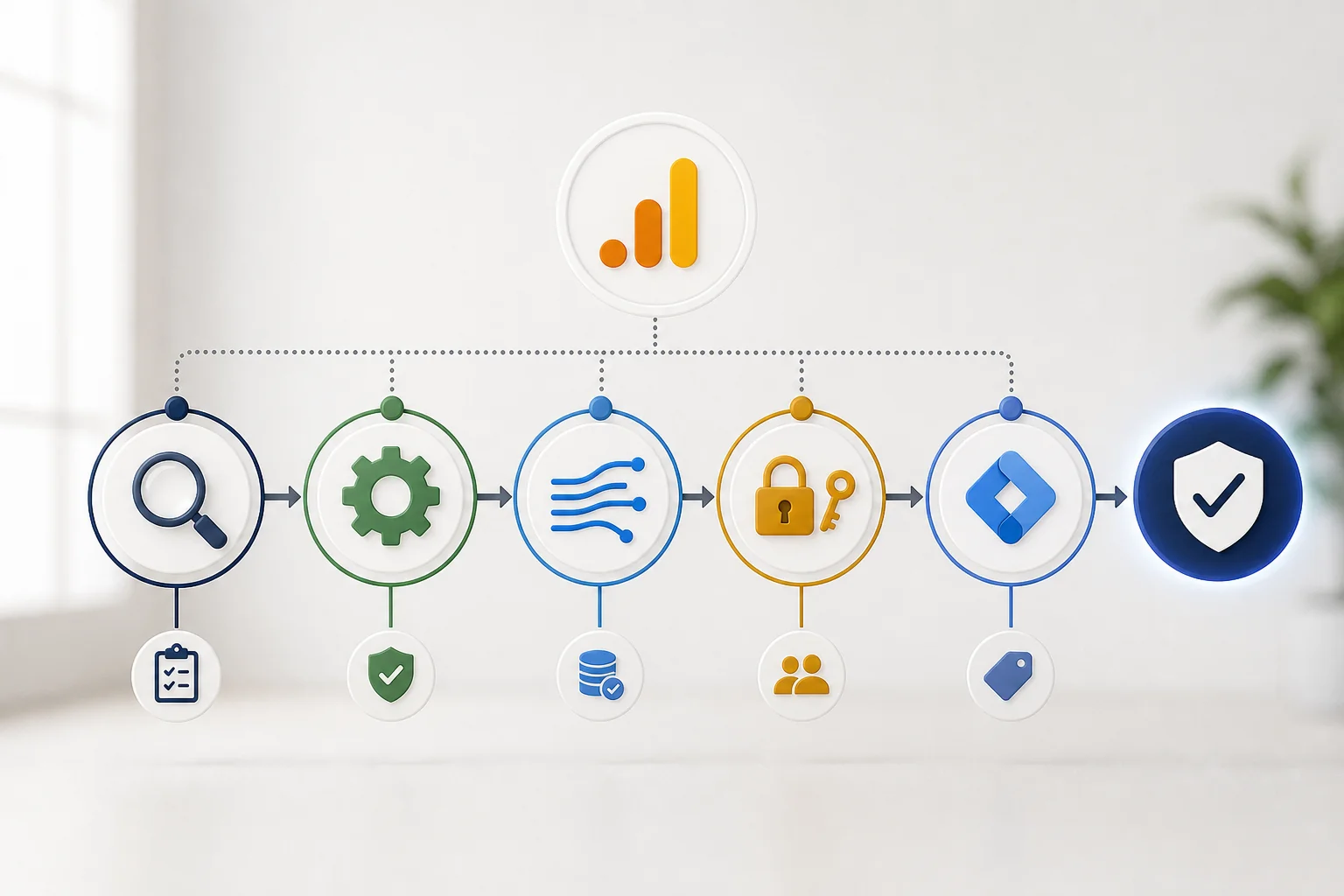
Infographic flowchart illustrating GA4 Setup Review steps with icons for examination, settings, data streams, permissions, an

A GA4 setup review involves a detailed examination of your current configuration. Start by assessing your GA4 property settings, data streams, and user permissions. Utilize tools like Google Tag Manager (GTM) to ensure that tags and triggers are firing correctly. This review process highlights any misconfigurations that could lead to data discrepancies.

Step-by-Step Review Process

  1. Data Stream Verification: Ensure each data stream (web or app) is correctly set up and receiving data.
  2. Event Tracking Confirmation: Check that all intended events are being captured, including custom events.
  3. User Properties Review: Confirm that user properties are being set and tracked correctly.
  4. Attribution Settings: Examine your attribution model and ensure it aligns with your business goals.

Conducting a
Tracking Health Check

A tracking health check involves using tools such as GA4 DebugView and Google Tag Assistant. These tools help you confirm that events are being recorded accurately and that parameters are sent with the correct context. Regular health checks can catch issues early, ensuring data integrity.

Identifying Tracking Gaps

Begin by evaluating your current GA4 setup against expected tracking standards. Review your event configurations to ensure all critical user interactions are captured. Common gaps include:

  • Missing Events: Confirm if essential events like purchases, sign-ups, and page views are tracked. If these are absent, you may not capture the full user journey.
  • Event Parameters: Check if events are sent with the necessary parameters to provide context. For instance, a purchase event should include parameters like value and currency to analyze revenue effectively.

Common Challenges
in GA4 Audits

Misconceptions About Automatic Event Tracking

A common misconception is that GA4 automatically tracks all user interactions. While GA4 does offer features like Enhanced Measurement, which can track events such as scrolls and outbound clicks without additional configuration, it does not cover every interaction. Custom events tied to specific user actions, like form submissions or video plays, require manual setup in Google Tag Manager (GTM).

Understanding Attribution Models

Another challenge lies in the misunderstanding of attribution models. Attribution can be a source of confusion because different reports and settings may apply different models to your conversion data. Review how your attribution settings are configured so you understand which model is shaping the numbers in each report. This inconsistency can lead to confusion when analyzing conversion data.

Navigating Privacy Regulations

Privacy regulations, such as GDPR and CCPA, also complicate GA4 audits. Consent mode settings determine how data is collected based on user consent. If a user does not provide consent, certain data points may not be recorded, resulting in lower traffic and conversion figures.

Tools and Resources
for Effective Audits

Utilizing the right tools can significantly enhance your GA4 audit process. Key tools include:

Recommended Debugging Tools

  • GA4 DebugView: This feature allows you to monitor real-time events as they are sent to GA4.
  • Google Tag Assistant: This Chrome extension helps validate your GTM setup.
  • Browser Developer Tools: Utilize the network tab to inspect requests sent to GA4.

Resources for GA4 Learning

  • Google’s Official Documentation: Start with the GA4 property setup guide.
  • Online Courses and Tutorials: Platforms like Google Analytics Academy provide structured learning paths.
  • Webinars and Workshops: Look for industry webinars focusing on GA4 updates and best practices.

Community and Support Forums

Engaging with the community can provide additional support. Consider resources like:

  • Google Analytics Help Community: This forum is filled with users and experts who can answer your specific questions about GA4.
  • Reddit and LinkedIn Groups: These platforms host discussions on analytics best practices.
  • Local Meetups: Networking with peers can provide insights into how others are managing their GA4 setups.

Hypothetical Example of
a GA4 Audit

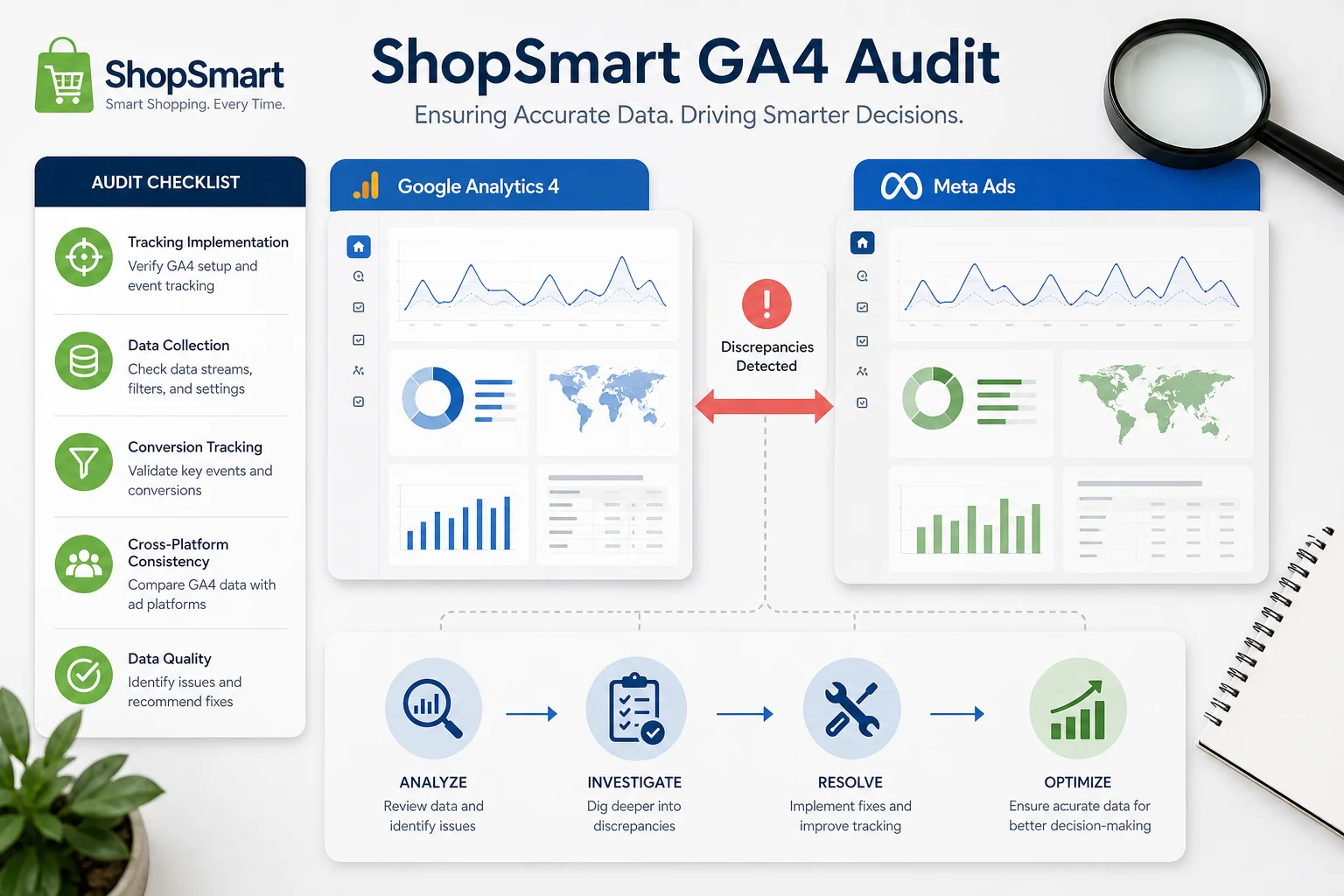
Infographic illustrating a GA4 audit for "ShopSmart," featuring icons for analysis, checklists, and graphs, in a professional

Scenario Overview

Imagine a mid-sized e-commerce company, "ShopSmart," that has been using Google Analytics 4 (GA4) for six months. The marketing team observes significant discrepancies in conversion metrics between GA4 and their Meta Ads dashboard. To address these inconsistencies, they decide to conduct a self-audit of their GA4 setup.

Steps Taken in the Audit

  1. Review Data Streams: The team checks their GA4 data streams to ensure they are correctly configured.
  2. Validate Enhanced Measurement: They review the Enhanced Measurement settings to confirm that automatic tracking of specific interactions is enabled.
  3. Examine Event Tracking: Each event configured in Google Tag Manager (GTM) is assessed for proper naming conventions and parameters.
  4. Check Attribution Models: The team compares attribution models used in GA4 and Meta Ads.
  5. Test Consent Mode: They evaluate how consent mode impacts data collection.
  6. Utilize Debugging Tools: Tools like GA4 DebugView and Google Tag Assistant are employed to troubleshoot events.

Results and Findings

The audit reveals several key issues:

  • Misconfigured Events: Some events were not firing correctly due to incorrect GTM triggers.
  • Attribution Confusion: The discrepancies were partly due to different attribution models.

Conclusion

A comprehensive GA4 audit checklist can significantly enhance your digital analytics setup. By understanding the GA4 data model, utilizing essential components of your audit, and implementing a tracking health check, you can uncover areas for improvement. This self-assessment empowers you to take control of your data quality and reporting accuracy.

Start by reviewing your current GA4 setup against the checklist outlined in this article. Consider leveraging available tools and resources to streamline your audit process. By taking these steps, you can ensure your analytics efforts are both effective and aligned with your business goals.

Questions
Answered

Common questions related to this topic.

What is a GA4 audit checklist?

A GA4 audit checklist is a comprehensive set of steps to review your Google Analytics 4 setup. It ensures that your tracking, data streams, and user properties are configured correctly, ultimately leading to more reliable data.

How does a GA4 audit checklist work?

The checklist guides you through reviewing essential components of your GA4 setup, including data streams and event tracking. By systematically checking each area, you can identify and rectify discrepancies that may affect your data quality.

Why should I perform a DIY GA4 audit?

Performing a DIY GA4 audit enables you to take control of your data integrity. It helps you uncover and fix tracking issues before relying on external expertise, ensuring that your analytics are accurate and trustworthy.

When is the best time to conduct a GA4 audit?

The best time to conduct a GA4 audit is after significant changes to

Free Strategy Call

Ready To GrowThis Into Results?

Use this GA4 audit checklist to ensure your setup is accurate and reliable before seeking professional help.

Opportunity Assessment
Channel Review
Growth Recommendations
No Obligation
OR

Prefer to reach out directly? We'll get back to you as soon as possible.

Contact MASS DATA Today
Scroll to Top